Our verdict
Pick Asana if your team is 2 to 5 people, runs projects with owners and deadlines, and wants automations without counting them: Starter is cheaper at every size we checked. Pick monday.com if you want a flexible visual board that non-technical staff pick up fast, your team is exactly 3, 5 or 10, or you need to share boards with lots of read-only viewers. Both sell seats above 5 in blocks, so a team of 6 pays for 10 on either.
- Best for
- Asana: small teams running client projects, launches or content calendars with clear owners and due dates. monday.com: teams that want one colorful board they can bend into a project tracker, simple CRM, order list or inventory sheet, with clients watching as free viewers.
- Skip if
- Asana: anyone who wants a refund safety net on a yearly plan, and free-plan teams of 3 or more. monday.com: solo users and pairs who want automations (paid plans start at 3 seats), and teams that would run more than 250 automation actions a month on Standard.
- Price
- monday.com: Free (2 seats); Basic $9, Standard $12, Pro $19 per seat a month billed yearly, 3-seat minimum. Asana: Free Personal (2 users); Starter $10.99, Advanced $24.99 per user a month billed yearly ($13.49 and $30.49 monthly), 2-seat minimum
What works
- Asana Starter is cheaper than monday.com Standard at 2, 3, 4, 5, 6 and 10 people on yearly billing (our math from both pricing pages)
- Asana Starter includes unlimited automations; monday.com Standard caps them at 250 actions a month
- monday.com scores higher on G2 for ease of use (9.1 vs 8.6) and gives unlimited free viewers on every paid plan
- monday.com refunds the rest of a yearly plan if you cancel within 30 days; both have free plans for 2 people
What doesn't
- monday.com paid plans start at 3 seats, so a pair pays for an empty seat
- Asana's pricing page says plainly: "We do not offer refunds"
- Above 5 people, both sell seats in blocks, so a team of 6 pays for 10 on either tool
- Both have poor Trustpilot scores (monday.com 2.0, Asana 1.4) driven by billing and support complaints
monday vs Asana looks like a $9 tool against an $11 tool. It isn't. monday.com won't sell you fewer than 3 seats, Asana sells seats one at a time up to 5, and both jump to blocks after that. Once you price the plans that actually include automations, the cheaper sticker belongs to the more expensive bill.
The short answer: pick Asana if you're a team of 2 to 5 that runs projects with owners and deadlines. Starter costs less at every team size we priced and includes unlimited automations. Pick monday.com if your staff need a board they'll open without training, you want to shape it into a CRM or order tracker, or you share work with lots of people who only need to look.
Where we stand: we don't use either one. Our own content calendar runs on ClickUp (see how we use ClickUp as a solo operator). This comparison is built from both vendors' pricing pages, rechecked on November 13, 2026, their help and community pages, and public reviews on G2, Capterra and Trustpilot. Sources are listed at the end.

monday.com vs Asana side by side
| monday.com (work management) | Asana | |
|---|---|---|
| Free plan | Up to 2 seats, 3 boards, 3 docs, no automations | Personal: up to 2 users, unlimited tasks and projects, no automations or timeline |
| Entry paid plan | Basic, $9/seat a month (yearly), no automations | Starter, $10.99/user a month (yearly), $13.49 monthly |
| Plan most teams need | Standard, $12/seat (yearly) | Starter, $10.99/user (yearly) |
| Minimum seats | 3 | 2 |
| Seat steps | 3, 5, 10, 15… (a team of 6 buys 10) | 1 at a time from 2 to 5, then blocks of 5 up to 30 |
| Automations | None on Basic; 250 actions a month on Standard; 25,000 on Pro | Unlimited on Starter |
| Timeline / Gantt | From Standard | From Starter |
| People who don't need a seat | Unlimited free viewers on all paid plans; guests from Standard | Unlimited free guests from Starter |
| Time tracking | Pro ($19/seat) | Advanced ($24.99/user); free plan via integrations |
| Free trial | 14 days of Pro, no credit card | 30 days, no credit card (per Asana's help center and referral page) |
| Refunds | Yearly plans cancelled within 30 days refunded for the remaining balance | "We do not offer refunds" |
| G2 rating | 4.7, ease of use 9.1 | 4.4, ease of use 8.6 |
Prices are from both pricing pages on November 13, 2026. monday.com's page showed us euros because our server is in Europe; the numbers (9, 12, 19) match the U.S. dollar prices in two independent guides (TinyCommand, September 2026, and Carly, July 2026). G2 scores are from G2's Asana vs monday.com comparison as indexed in search; G2 blocked our direct visit.
What monday.com and Asana cost in 2026
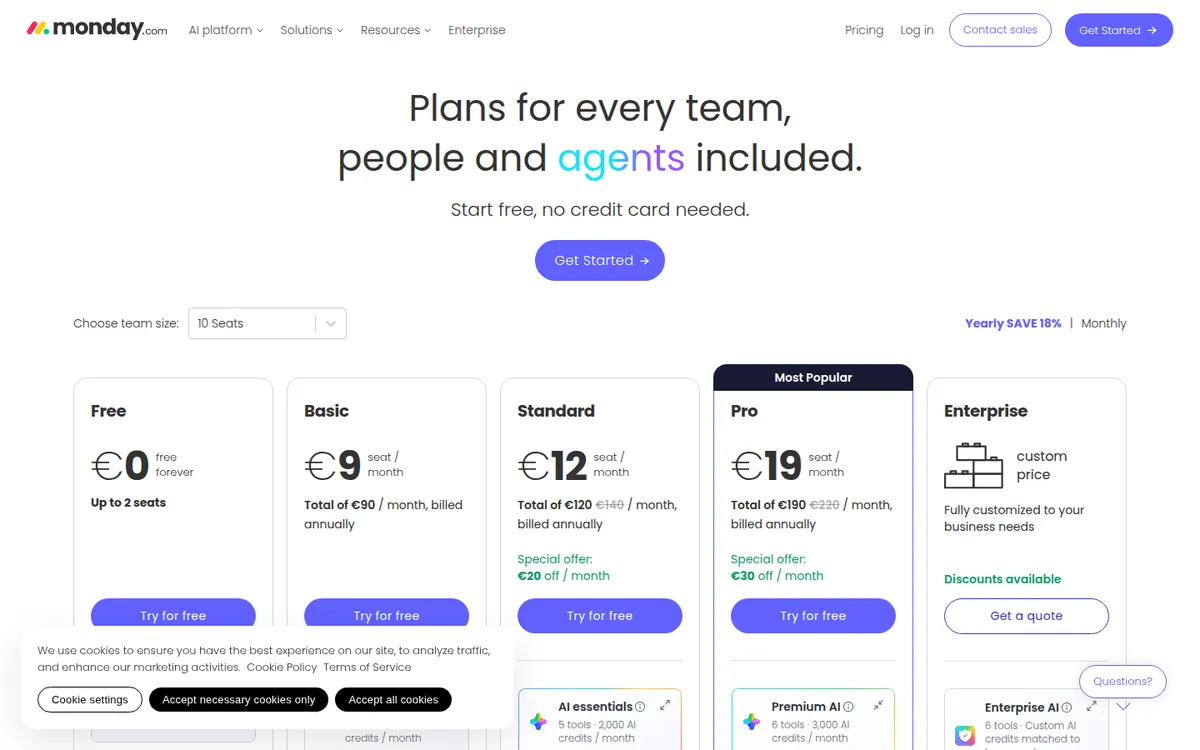
| Plan | Per seat, billed yearly | Per seat, billed monthly | What it adds |
|---|---|---|---|
| monday.com Basic | $9 | about $12 | Unlimited items and free viewers, 1,000 AI credits a month, no automations |
| monday.com Standard | $12 | about $14 | Timeline and Gantt, calendar, guests, 250 automations and 250 integration actions a month, 2,000 AI credits |
| monday.com Pro | $19 | about $24 | Private boards and docs, time tracking, 25,000 automations a month, 3,000 AI credits |
| Asana Starter | $10.99 | $13.49 | Timeline and Gantt, dashboards, unlimited automations, forms, custom fields, free guests |
| Asana Advanced | $24.99 | $30.49 | Portfolios, goals, approvals and proofing, time tracking (estimated vs actual), Salesforce and Power BI |
monday.com's monthly-billing prices don't appear on its page text; they come from the two independent guides above. monday.com also showed Standard and Pro as a "special offer" (with 10 seats, $140 crossed out to $120 for Standard), with no end date. Check the price at checkout and again before renewal.
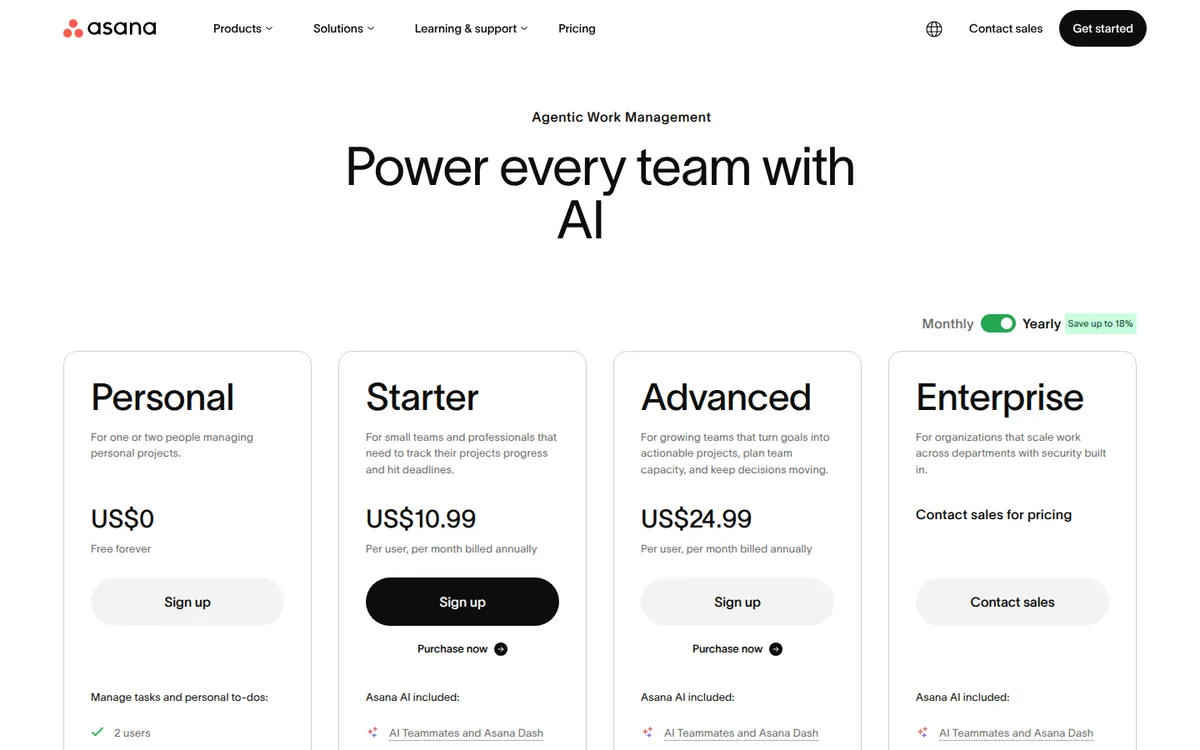
We tried to capture Asana's pricing page again today, but it loaded blank twice for our tools, so the image above is from our Asana pricing review on November 2. The plan prices and limits listed in the table were rechecked on Asana's live page on November 13.
What a team of 2, 4, 6 or 10 pays on each
This is the comparison most articles skip. We priced the plan on each tool that includes a timeline and automations: Asana Starter and monday.com Standard. Our own math from the per-seat prices above, billed yearly, before tax.
| Team size | Asana seats billed | Asana Starter / month | monday.com seats billed | monday.com Standard / month | Cheaper |
|---|---|---|---|---|---|
| 2 | 2 | $21.98 | 3 | $36 | Asana by $14.02 |
| 3 | 3 | $32.97 | 3 | $36 | Asana by $3.03 |
| 4 | 4 | $43.96 | 5 | $60 | Asana by $16.04 |
| 5 | 5 | $54.95 | 5 | $60 | Asana by $5.05 |
| 6 | 10 | $109.90 | 10 | $120 | Asana by $10.10 |
| 10 | 10 | $109.90 | 10 | $120 | Asana by $10.10 |
The seat rules matter more than the sticker price. A team of 4 pays monday.com for 5 seats. A team of 6 pays both tools for 10. On Asana, that's $527 a year for 4 empty seats; on monday.com Standard, $576.
Where monday.com comes out cheaper: if you skip automations. monday.com Basic at $9 a seat gives 3 people a shared board for $27 a month, and 10 people for $90. If your team just needs a shared list of jobs with statuses and owners, Basic undercuts Asana Starter at 3 people and up. You'd be giving up automations, timelines and guests.
At the top tier the order flips too. For time tracking, monday.com Pro is $95 a month for 5 seats against $124.95 for 5 users on Asana Advanced. Advanced adds portfolios and goals, which monday.com reserves for Enterprise.
The differences that decide it
How each tool thinks about work
Asana is built around tasks. Every task has one owner and a due date, sits in a project, and can be seen as a list, board, calendar or timeline. Reviewers on Capterra and G2 say this cuts down on "who's doing this?" messages. It suits work with clear steps: client projects, launches, content calendars, onboarding checklists.
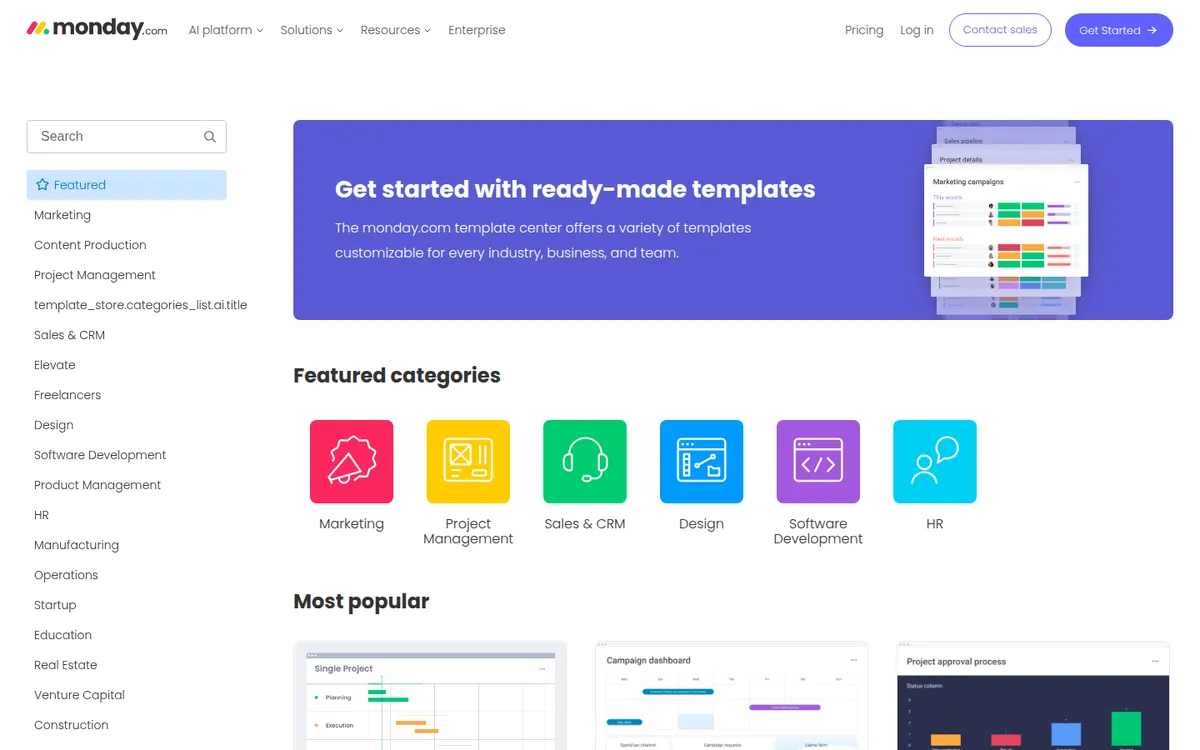
monday.com is built around boards. A board is a table of items with whatever columns you choose: status, owner, date, price, phone number, file. That makes it easy to turn into something other than a project tracker, like a lead list, an order queue or an equipment log. monday.com also sells a separate CRM product with its own price list, but many small teams start by building a light CRM on a regular board.
Automations: unlimited vs 250 a month
Asana Starter lists "unlimited automations." monday.com Standard includes 250 automation actions and 250 integration actions a month; Pro raises that to 25,000.
Is 250 enough? Here's a rough example, our own math: if one rule fires every time an item changes status, and your team moves 15 items a day over 20 workdays, that's 300 actions in a month. You'd hit the Standard cap before month-end. A team that uses automations lightly (a reminder here, an assignment there) won't notice the limit. A team that wants the tool to run its process should price Pro, or Asana Starter.
Ease of use
monday.com has the edge here in reviewer scores: G2 lists ease of use at 9.1 for monday.com against 8.6 for Asana, each from more than 11,000 reviews. Asana still scores well, and reviewers who like it praise how clean the task view is once set up.
Viewers, guests and clients
On monday.com, anyone who only needs to look at boards can be a free viewer on any paid plan, and Standard adds guests for outside collaborators. On Asana, Starter includes unlimited free guests you invite to specific projects. For an agency with clients, both work. If you have many internal people who only need to check status (an owner, a bookkeeper, part-timers), monday.com's free viewers are the simpler fit.
Free plans
Both now stop at 2 people. Asana's Personal plan gives unlimited tasks and projects but no timeline, automations or forms. monday.com's free plan caps you at 3 boards and 3 docs. Asana's free plan used to allow up to 10 users. New accounts get 2, and in October 2026 Asana's own forum showed older free accounts being moved to the 2-person limit too. If you read an older comparison praising Asana's "free for 10 users" plan, it's out of date.
Refunds and trials
This one is easy to miss. monday.com's pricing FAQ says a yearly plan cancelled within 30 days is refunded for the remaining balance. Asana's says: "We do not offer refunds." You keep paid features until the period ends. On Asana, start monthly ($13.49 a user) until the team actually uses it, then switch to yearly to save up to 18%.
What users say about each
monday.com is rated 4.7 on G2 and 4.6 on Capterra (about 5,700 reviews). Reviewers praise ease of use, flexible boards, templates and colorful dashboards. On Trustpilot it scores 2.0 from about 3,400 reviews (checked November 1, 2026), with complaints about AI chatbot support, add-on costs, the 3-seat minimum and cancelling.
Asana is rated 4.4 on G2 and 4.5 on Capterra (about 13,600 reviews). Reviewers praise clear task ownership, templates for repeat projects and integrations. On Trustpilot it scores 1.4 from about 320 reviews (checked November 2, 2026), mostly about denied refunds, workspaces locked after trials, the free-plan cut and slow support.
The gap between review sites and Trustpilot is typical for business software: daily users rate the product, people with a billing problem go to Trustpilot. Both patterns point at the same thing, so read the billing rules before you pay.
Choose Asana if…
- Your team is 2, 3, 4 or 5 people and you want timelines and automations. Asana Starter is cheaper at each of those sizes.
- Your work runs as projects with steps and deadlines, and you want each task to have one clear owner.
- You'll lean on automations and don't want to count them.
- You'll grow into portfolios and goals across several projects (Advanced).
Choose monday.com if…
- Your team is exactly 3, 5 or 10 and you value a board people will open on day one.
- You want one flexible tool for projects, a simple sales list, orders or inventory.
- You have many read-only people who can be free viewers.
- You need a shared board but not automations: Basic at $9 a seat is the cheapest paid option here.
- You want a refund window on a yearly plan while the team decides.
Alternatives to monday.com and Asana
If neither fits, look at ClickUp, which bills per person with no seat blocks and packs in docs and goals. Reviewers often call it harder to learn. It's what we use; see our ClickUp vs monday.com comparison. For a deeper look at each tool on its own, read our monday.com pricing review and Asana pricing review.
| Tool | Entry price with automations | Seat rules | Free plan |
|---|---|---|---|
| Asana Starter | $10.99/user (yearly) | 2 minimum, blocks of 5 above 5 | Yes, 2 users |
| monday.com Standard | $12/seat (yearly) | 3 minimum, then 5, 10, 15… | Yes, 2 seats |
| ClickUp | Per user, no blocks (see our ClickUp articles) | Per user | Yes |
FAQ
Is monday.com or Asana cheaper for a small team?
Asana, if you need automations. On yearly billing, Asana Starter costs $21.98 a month for 2 people and $54.95 for 5, against $36 and $60 on monday.com Standard. monday.com Basic ($9 a seat) is cheaper only if you can live without automations.
Is monday.com easier to use than Asana?
Reviewers say so on average. G2 gives monday.com 9.1 for ease of use and Asana 8.6. Both are rated well, and Asana's task view is often called cleaner for straightforward project work.
Can a team of 2 use monday.com or Asana for free?
Yes, both free plans cover 2 people. Asana's has unlimited projects; monday.com's caps you at 3 boards. Neither free plan includes automations.
Why does a team of 6 pay for 10 seats?
Both tools sell seats in blocks above 5. monday.com's support center gives the example directly, and Asana's pricing FAQ lists blocks of 5 up to 30 users. On either tool, a team of 6 is billed for 10.
Does Asana or monday.com offer refunds?
monday.com refunds the remaining balance of a yearly plan cancelled within 30 days. Asana does not offer refunds; you keep access until the paid period ends.
Disclosure: if you buy through our links we may earn a commission. It never changes our verdict. Details.
Sources
- monday.com: Pricing (plans, seat options, AI credits, automation limits, refund FAQ)
- monday.com: Template center
- monday.com blog: How much does monday.com cost?
- monday.com Support: Plans and pricing (seat steps example)
- Asana: Pricing (plans, seat increments, AI requests, refund FAQ)
- Asana Help Center: How to sign up for a free Asana trial
- Asana Forum: free plans moving to 2 collaborators on October 15 (October 13, 2026)
- G2: Asana vs monday.com comparison (ratings and ease-of-use scores)
- TinyCommand: monday.com pricing explained (updated September 15, 2026)
- Carly: monday.com pricing (July 15, 2026)
- Carly: Asana pricing (July 15, 2026)
- monday.com reviews on Capterra
- Asana reviews on Capterra
- monday.com reviews on Trustpilot
- Asana reviews on Trustpilot
Prices and features checked on November 13, 2026. Vendors change plans often, so confirm on the official site before buying.