

Our verdict
Sunsama is a daily planner that pulls tasks from your email, project tools and calendars into one list, then makes you pick a realistic amount of work and drop it onto your calendar. It costs $17 a month billed yearly or $22 billed monthly, with no free plan. For a founder or solo operator who says yes to too much and ends every day behind, that structure is the product and the price can pay for itself. If you mostly need a place to write tasks down, Todoist's $5-a-month plan or its free plan does that for a fraction of the cost.
- Best for
- Founders, freelancers and small-team leads who juggle tasks across several tools and calendars and want a guided routine to plan each morning and shut down each evening
- Skip if
- People who mainly work from a phone, anyone who wants a free plan, teams that need project management or per-user billing, and people who want AI to schedule the day for them automatically
- Price
- Pro $17/month billed yearly ($204/year) or $22/month billed monthly, per person; Enterprise custom. 14-day free trial with no credit card. No free plan
What works
- Pulls tasks from Gmail, Outlook, Asana, ClickUp, Trello, Notion, Jira, Todoist and more into one daily list
- Guided morning planning and evening shutdown routines that warn you when you've planned too much
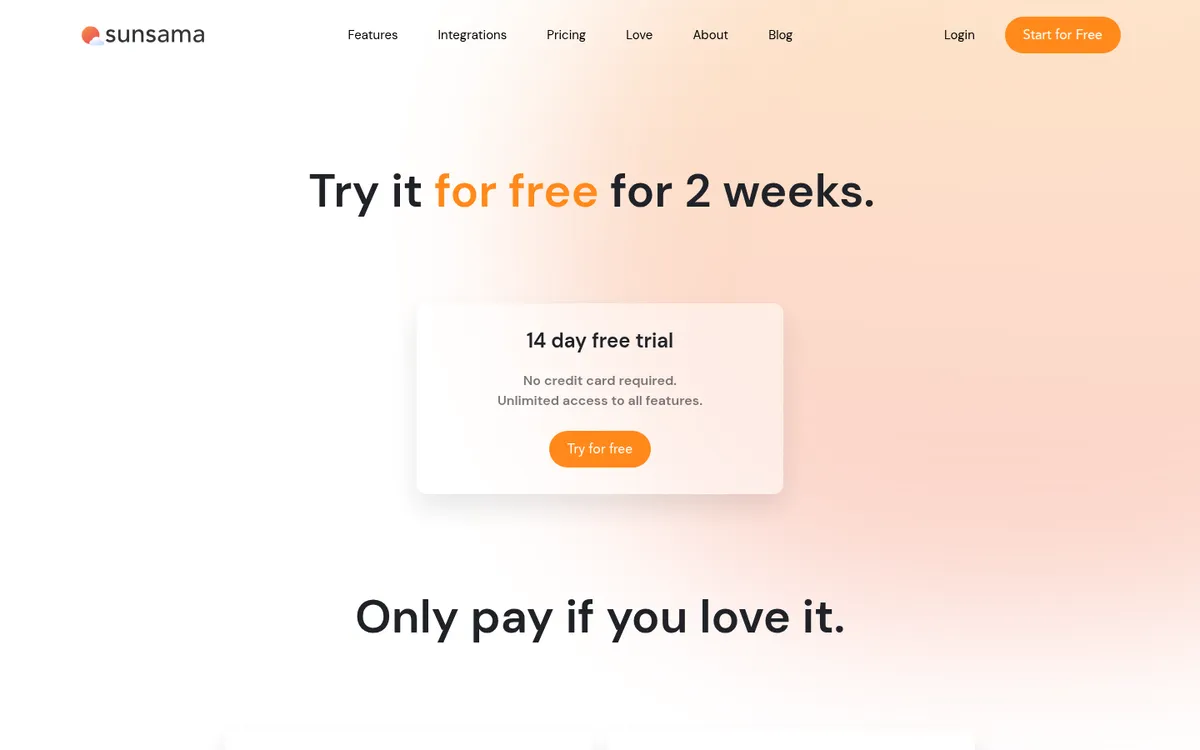
- 14-day trial with full access and no credit card; you aren't charged automatically when it ends
- Rated 4.7/5 on Capterra and 4.5/5 from 526 ratings on the iOS App Store
What doesn't
- No free plan, and it rose in 2026 to $17 (yearly) or $22 (monthly) per person
- The mobile app is a companion; Sunsama says planning starts on the desktop or web app
- One admin pays for every seat in a shared workspace; users can't be billed separately
- No refund policy published; workspace data is deleted 30 days after a subscription ends
We have not used Sunsama. This guide to Sunsama pricing and features is based on Sunsama's pricing page, help center and homepage (read November 11, 2026), its App Store listing, public reviews on Capterra and Trustpilot, and the pricing pages of Akiflow, Motion and Todoist. Where a figure comes from a third party or is our own math, we say so. Sources are listed at the end.
The short version: Sunsama costs $204 a year (or $22 a month) for one person, there's no free plan, and the 14-day trial needs no card. It's worth that money only if you'll actually use its daily planning routine. If you won't, cheaper tools cover the to-do list part.
What Sunsama is
Sunsama calls itself a "daily planner." It isn't a project management tool like Asana or ClickUp. It sits on top of them.
Each morning, Sunsama walks you through a short planning routine. It pulls in tasks from the tools you already use, shows your meetings, and asks you to choose what you'll do today. If the tasks plus meetings add up to more hours than you have, it tells you you're overcommitted. You then drag tasks onto your calendar as time blocks. At the end of the day, a shutdown routine shows what you finished and moves the rest.
According to Sunsama's homepage, the main pieces are:
- Daily planning and timeboxing, with two-way sync to Google, Outlook and Apple calendars.
- Focus mode, Pomodoro timers and break reminders.
- Daily shutdown and weekly objectives, plus time analytics.
- Integrations with Gmail, Outlook, Slack, Microsoft Teams, Asana, ClickUp, Trello, Notion, Jira, Linear, GitHub, monday.com, Todoist, Microsoft To Do, Google Tasks and Zapier.
- Apps for Mac, Windows, Linux, iOS, Android and the web.
The pricing page also lists "AI + MCP + Zapier" on the Pro plan. Sunsama is SOC 2 compliant, according to its site.
Sunsama pricing in 2026
Sunsama has one paid plan for individuals and teams, plus an enterprise tier. These prices are from Sunsama's pricing page on November 11, 2026:
| Plan | Billed yearly | Billed monthly | What you get |
|---|---|---|---|
| Free trial | $0 for 14 days | — | Full access, no credit card |
| Pro | $17/month ($204/year) | $22/month | Unlimited usage and integrations, AI + MCP + Zapier |
| Enterprise | Custom | Custom | SSO and SAML, SCIM, audit logs, custom privacy terms |
There's no free plan. Sunsama's pricing manifesto says it "doesn't have a free forever plan and doesn't plan to." It also says Sunsama doesn't run Black Friday or Cyber Monday deals.
Discounts. Paying yearly saves about 23% compared with monthly ($204 vs. $264 a year). Sunsama's help center lists a student discount for actively enrolled college students with a student email, valid until graduation or for four years, and "generous non-profit plans" for verified nonprofits. Neither discount has a published percentage; you apply by email.
Sunsama raised its price in 2026
Sunsama's manifesto says that "in 2026, after 5 years of keeping the price steady and absorbing rising costs, we finally updated it." The old price, according to third-party breakdowns, was $16 a month yearly and $20 monthly.
You'll see different figures online. Morgen's April 2026 guide lists $20 yearly and $25 monthly, and Carly reports that an older block on Sunsama's page once showed those numbers too. Sunsama's current pricing page and help center both say $17 and $22, and PricingSaaS recorded the same on November 9, 2026. We use Sunsama's own figures. The manifesto doesn't say whether existing subscribers keep their old price.
What Sunsama costs for a small team (our math)
Sunsama charges per person. In a shared workspace, the help center says "one admin user is billed for all accounts," and new members are added to the bill automatically, prorated for the first month.
| Team size | Yearly billing | Monthly billing |
|---|---|---|
| 1 person | $204/year | $264/year ($22/month) |
| 3 people | $612/year | $792/year ($66/month) |
| 5 people | $1,020/year | $1,320/year ($110/month) |
For a five-person team, that's more than many project management tools cost, and Sunsama doesn't replace one. You'd usually pay for both.
Trial, cancellation and refunds
- Trial. 14 days with full access and no card. The help center says "we do not automatically charge users"; when the trial ends you lose workspace access until you pay.
- Cancel. In Workspace settings > Billing. You keep access until the end of the billing cycle.
- Data. "30 days after your subscription ends due to cancellation, the data in your workspace will be permanently deleted." Export anything you need before then.
- Refunds. The pricing FAQ asks "Refunds?" but doesn't answer it, and the billing help page doesn't mention refunds. Assume a yearly plan is not refundable unless support says otherwise, and try the monthly plan first if you're unsure.
Is Sunsama worth it?
It depends on whether your problem is tracking tasks or choosing them.
Sunsama is worth considering if:
- Your tasks live in three or more places (email, Slack, a project tool, a client's Trello board) and you lose time checking each one.
- You regularly plan eight hours of work for a day that has four free hours.
- You like a fixed routine and will spend 10 to 15 minutes planning each morning.
It's probably not worth it if:
- One to-do app already holds all your tasks and you finish most of them.
- You want software that schedules your day for you. Sunsama makes you decide; it doesn't auto-plan.
- You work mainly from your phone.
At $17 a month, Sunsama's own manifesto frames the price as "~$1/workday." For a business owner billing $50 an hour or more, saving one wasted hour a month covers it. The question is whether you'll keep the habit after the trial.
What users praise
Sunsama has a smaller review footprint than most tools we cover. On Capterra it has a 4.7/5 average from about 27 reviews (per search results; the page blocked direct access), with ease of use rated higher than value for money. The iOS app has 4.5/5 from 526 ratings. Trustpilot has only 4 reviews, so we don't weigh it.
Across these and Reddit discussions quoted in independent reviews, the repeat themes are:
- One list for everything. Reviewers like pulling tasks from Trello, Jira, email and calendars into one place; one Trustpilot reviewer calls it a "universal inbox."
- Realistic days. The overcommitment warning and timeboxing are the features users mention most.
- Calm design. Reviewers often describe it as "beautiful and simple to use."
- The shutdown ritual. Users say the end-of-day review helps them stop working on time.
What users complain about
- Price. The most common complaint by far. Reddit users quoted in independent reviews call it the most expensive app in their stack, and some moved to Todoist's free plan. A Trustpilot reviewer called the subscription "high for me" while still finding it worth it.
- The mobile app. Sunsama describes it as "built as a companion to the desktop app," and you plan your first day on desktop. A developer reply on the App Store acknowledged "we haven't got parity on the mobile app yet" (2022).
- Slow feature development. Some long-time users on Reddit say few new features have shipped recently, per independent reviews.
- Team limits. Team billing goes through one admin, and Sunsama doesn't do project management, so teams still need another tool.
We found no pattern of complaints about data loss or outages in the sources above.
Sunsama alternatives
These prices are from each vendor's pricing page on November 11, 2026:
| Sunsama | Akiflow | Motion | Todoist | |
|---|---|---|---|---|
| Price (yearly billing) | $17/month | $19/month ($228/year) | $19/seat/month (Pro AI)* | $5/month ($60/year) |
| Price (monthly billing) | $22/month | $34/month | Not listed separately* | $7/month |
| Free plan | No | No | No | Yes (5 projects) |
| Trial | 14 days, no card | 7 days, card required | Free trial (length not stated) | — |
| Planning style | Guided daily routine, you choose | Fast inbox + time blocking, you choose | AI schedules tasks for you | To-do list with dates |
*Motion's page shows $19 and $29 per seat "/mo" with a "Pay annually (Save 33%)" toggle, but doesn't state which billing cycle the figure uses. Check at checkout.
Sunsama vs Akiflow
Both consolidate tasks and let you time-block. Akiflow is built around speed: keyboard shortcuts, a command bar and a quick-capture inbox. Sunsama is built around a slower, guided routine. Akiflow's yearly plan costs $24 more per year than Sunsama's, but its monthly plan costs $12 more per month. Akiflow's trial is shorter (7 days) and needs a card. Pick Akiflow if you process a lot of incoming tasks fast and like keyboard-driven tools. Pick Sunsama if you want the app to slow you down and make you plan.
Sunsama vs Motion
Motion uses AI to build your schedule automatically and reshuffle it when things change. Sunsama leaves those decisions to you. Motion also adds project features for teams and uses AI credits (7,500 per seat per month on Pro AI, per its pricing page). Pick Motion if you want the software to decide when you do things. Pick Sunsama if you'd rather decide yourself and want fewer moving parts.
A free Sunsama alternative
There isn't a true free equivalent. The closest cheap option is Todoist: its free plan gives you 5 projects and basic tasks, and Pro is $5 a month billed yearly with calendar layouts and task durations. You lose Sunsama's guided routine and cross-tool inbox, but for many solo owners a dated to-do list is enough. A paper planner each morning costs nothing and is the same habit Sunsama sells.
If your team already runs on ClickUp or Notion, also check their built-in planners before adding another subscription. See our ClickUp guide for solo operators and Notion review.
Who Sunsama fits
- Solo founders and freelancers who juggle client tools, email and Slack and end most days behind.
- Small-business owners who want a fixed start-and-stop routine for the workday.
- Managers who need their personal tasks and meetings in one view, on top of a team project tool.
Who should skip it
- Anyone who wants a free plan or a $5-a-month tool.
- People who plan and work mostly on a phone.
- Teams looking for project management, shared boards or per-person billing.
- Anyone who wants AI to schedule the day automatically.
Our take
Sunsama sells a habit more than software: plan a day you can actually finish, then stop. At $204 a year, it's a fair price if that habit is what you're missing and expensive if it isn't. Use the 14-day trial for real work, plan every morning, and see if your days change. Because the trial needs no card and doesn't auto-charge, there's little risk in trying it. If you do subscribe, start monthly before committing to a year, since no refund policy is published.
FAQ
How much does Sunsama cost?
$17 per person per month billed yearly ($204 a year), or $22 per month billed monthly. Enterprise pricing is custom. Students and nonprofits can request a discount by email.
Does Sunsama have a free plan?
No. Sunsama has a 14-day free trial with full access and no credit card, and its pricing manifesto says it doesn't plan to add a free plan.
Does Sunsama charge you automatically after the trial?
No. According to Sunsama's help center, users aren't charged automatically; you lose access when the trial ends unless you choose a paid plan.
Is Sunsama better than Todoist?
They do different jobs. Todoist is a to-do list with a free plan and a $5-a-month Pro plan. Sunsama is a daily planning routine that pulls tasks from Todoist and other tools onto your calendar. Many people use Todoist alone; some use both.
What happens to my data if I cancel Sunsama?
You can use Sunsama until the end of the billing cycle. Sunsama's help center says workspace data is permanently deleted 30 days after the subscription ends.
Disclosure: if you buy through our links we may earn a commission. It never changes our verdict. Details.
Sources
- Sunsama pricing page
- Sunsama homepage (features, integrations, platforms)
- Sunsama Help Center: Billing Overview and FAQs
- Sunsama Help Center: Pricing Manifesto
- Sunsama on the Apple App Store
- Sunsama reviews on Capterra
- Sunsama reviews on Trustpilot
- PricingSaaS: Sunsama pricing (checked November 9, 2026)
- Carly: Did Sunsama raise prices? (updated September 29, 2026)
- Morgen: Sunsama pricing (April 6, 2026)
- Saner.ai: Sunsama reviews
- Akiflow pricing page
- Motion pricing page
- Todoist pricing page
Prices and features checked on November 11, 2026. Vendors change plans often, so confirm on the official site before buying.