Our verdict
Pick Wix if you want a site live this week, nobody on your team wants to maintain anything, and you're fine paying $17 to $39 a month for as long as the site exists. Pick WordPress if you plan to publish a lot, want the lowest running cost, need a specific plugin, or want to be able to move your site whenever you like. The real decision is between upkeep (WordPress) and lock-in (Wix).
- Best for
- Wix: service businesses, local shops and portfolios that want an all-in-one site with hosting, security and support in one bill. WordPress: blogs, content-heavy sites, growing stores and owners who want to own their site and pick their own host.
- Skip if
- Wix: anyone who might move platforms later, especially with a big blog (Wix says blog posts can't be exported). WordPress: owners who will never log in to run updates and won't pay a managed host or a freelancer to do it.
- Price
- Wix: Free plan; Light $17/month, Core $29, Business $39, Business Elite $159 billed yearly. WordPress: software free; WordPress.com from $4/month yearly ($9 monthly); shared hosting such as Hostinger from $1.99/month on a 48-month term (renews at $10.99); our managed server starts at $11/month
What works
- Wix bundles hosting, security, updates and 24/7 support into one plan, with a real free plan to try it
- Wix Core ($29/month yearly) includes payments, basic ecommerce and scheduling
- WordPress software is free, runs on almost any host and powers about 39% of all websites
- WordPress has 78,000+ free plugins and a standard export, so you can move hosts any time
What doesn't
- Wix says blog posts can't be exported to other platforms, so leaving usually means a rebuild
- Wix's Light plan can't take payments, and switching templates on a live Wix site isn't supported
- WordPress plugins caused 91% of new WordPress vulnerabilities in 2025, per Patchstack, so updates are a real chore
- WordPress costs creep through hosting renewals, premium themes and paid plugins
Wix vs WordPress looks like a question about features, but for a small business it comes down to one trade. Wix rents you a finished house: hosting, security and support in one monthly bill, but your content is hard to take with you. WordPress gives you the land and the tools: cheaper to run and fully yours, but someone has to keep it patched.
The short answer: pick Wix if you want a good-looking site live this week and nobody on your team wants to maintain anything. Pick WordPress if you'll publish a lot, want the lowest running cost, need a specific plugin, or want the freedom to move later.
Where we stand: our closet-design site runs on self-hosted WordPress with the free GeneratePress theme, on a managed server at Elestio (see our Elestio review). We have not run a site on Wix. Everything about Wix here comes from its pricing page, its help center, its own blog and public reviews, checked on November 13, 2026. Sources are listed at the end.

Wix vs WordPress side by side
| Wix | WordPress (self-hosted) | |
|---|---|---|
| What it is | Hosted website builder, one company | Free open-source software you install on a host |
| Free option | Yes: Wix ads, wixsite.com address, 500 MB | Software free; WordPress.com free plan with ads and no plugins |
| Cheapest custom-domain plan | Light, $17/month billed yearly | WordPress.com Personal $4/month yearly, or shared hosting |
| Cheapest plan that takes payments | Core, $29/month billed yearly | Any host plus the free WooCommerce plugin |
| Updates and security | Handled by Wix | Your job, or your host's |
| Add-ons | Wix App Market | 78,000+ free plugins on WordPress.org |
| Changing your design later | Can't switch templates on a live site | Change themes any time |
| Leaving | Blog posts can't be exported, per Wix | Standard export; runs on any PHP host |
| Support | 24/7 customer care listed on all plans | Depends on your host; forums for the software |
| Share of all websites (W3Techs) | about 5.4% | about 39.2% |
Wix pricing in 2026: four plans, and only three take payments
Wix lists these U.S. prices, billed yearly, in its own pricing guide marked "current as of November 2026":
| Wix plan | Billed yearly | Storage | Collaborators | Payments |
|---|---|---|---|---|
| Free | $0 | 500 MB | — | No (Wix ads, wixsite.com address) |
| Light | $17/month | 2 GB | 2 | No |
| Core | $29/month | 50 GB | 5 | Yes, plus basic ecommerce and scheduling |
| Business | $39/month | 100 GB | 10 | Yes, standard ecommerce |
| Business Elite | $159/month | Unlimited | 100 | Yes, advanced ecommerce |
All paid plans include a free domain for the first year. Wix doesn't publish month-to-month prices before checkout, and its pricing page lists a 14-day money-back guarantee. Card payments through Wix Payments carry processing fees (2.9% + 30¢ in the U.S., per Wix's help center), with no extra platform cut on top.
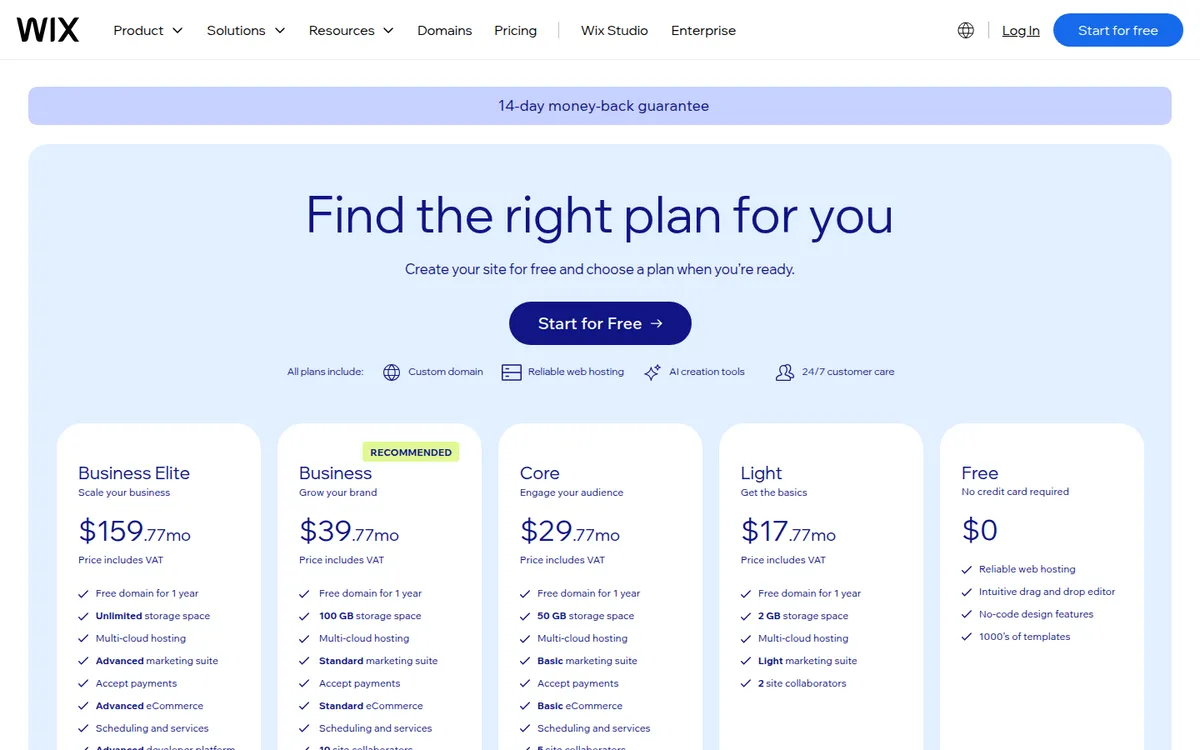
The catch most people miss: Light can't accept payments. If you want to sell anything or take deposits, your real starting price is Core at $348 a year.
What WordPress really costs: hosting, theme and plugins
WordPress itself is free. You pay for hosting and whatever you add.
| Way to run WordPress | Price | Who handles updates |
|---|---|---|
| WordPress.com Personal | $4/month yearly ($9 monthly) | WordPress.com |
| WordPress.com Business | $25/month yearly ($40 monthly) | WordPress.com |
| Hostinger Premium (shared) | $1.99/month on a 48-month term ($95.52 upfront), renews at $10.99/month | Mostly you |
| Managed server (our setup, Elestio) | from $11/month | Elestio updates WordPress and the server; plugins are on you |
Two things to know before you compare with Wix:
- Intro hosting prices don't last. Hostinger's $1.99 needs four years paid upfront. After that, the same plan renews at $10.99 a month, according to its pricing page. Most shared hosts work this way.
- WordPress.com is not the same as WordPress.org. WordPress.com is a hosted service, closer to Wix. Its pricing page shows plugin installs from the Personal plan up, and payment fees from 8% on Personal down to 0% on Commerce ($45/month yearly). Self-hosted WordPress has no platform fee at all.
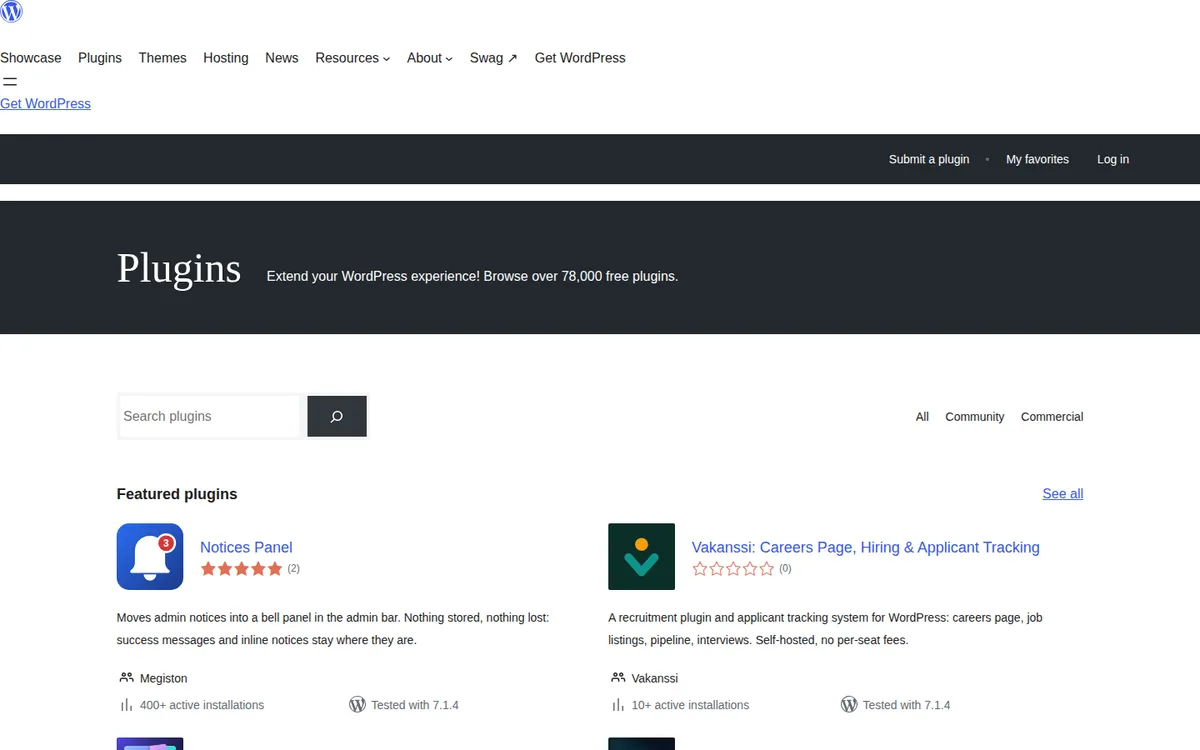
Themes and plugins are where WordPress costs creep. We use the free version of GeneratePress; the premium version costs $99 a year for one site. The free plugin directory lists over 78,000 plugins, and most basics (SEO, forms, backups) have capable free versions.
Year-one cost: a 10-page site, then a small store
Our own math from the list prices above, billed yearly, before tax. Wix and Hostinger include a domain for the first year; elsewhere add about $10–$20 (we buy ours at Namecheap).
| Site | Wix | WordPress.com | WordPress on Hostinger | WordPress on our Elestio setup |
|---|---|---|---|---|
| 10-page site, no sales | $204 (Light) | $48 (Personal) | $95.52 for 4 years, then $131.88/year | from $132 |
| Same site with a blog | $204 (Light) | $48 | same | same |
| Small store, card payments | $348 (Core) + card fees | $540 (Commerce) or $300 (Business, 2% fee) + card fees | same + card fees | from $132 + card fees |
| Add a premium theme | Templates included | +$99 (GeneratePress Premium) | +$99 | +$99 |
On list price, self-hosted WordPress is cheaper in every row. The gap is biggest for a store: Wix's cheapest selling plan is $348 a year, while WooCommerce is a free plugin on hosting you're already paying for.
What the table leaves out is your time. Wix's price includes the person who patches the server and the support line you call when it breaks. On cheap WordPress hosting, that person is you.
Upkeep and security: who fixes what
On Wix, you can't install server code, so there's nothing to patch. Hosting, SSL and security are Wix's job.
On WordPress, the core software is well maintained. The risk is in add-ons. Patchstack's 2026 report counted 11,334 new vulnerabilities in the WordPress ecosystem in 2025. It says 91% were in plugins and 9% in themes, and only six were in WordPress core.
What works for us: Elestio updates WordPress and the server automatically and takes daily backups. We keep the plugin list short because every plugin is one more thing that can break or be attacked. If you choose WordPress, do the same, or pay a host that handles updates for you.
Wix vs WordPress for SEO
Neither platform wins by default. Both give you editable titles and meta descriptions, clean URLs, sitemaps and 301 redirects. Wix's help center describes a URL Redirect Manager for 301s (Wix's SEO guides put the cap at 5,000 redirects per site), and Wix creates a redirect automatically when you change most page URLs.
WordPress gives you more control at the edges: any SEO plugin, any schema markup, full control of the server and caching. That matters for content-heavy sites and SEO specialists. For a 10-page local business site, Wix's built-in tools are enough. What moves rankings is still content, internal links, speed and how often you publish.
If search traffic is your main growth plan and you'll publish weekly for years, WordPress is the safer bet. That's less about SEO features and more about the next section.
Moving later: why leaving Wix is the real cost
Leaving Wix is the biggest weakness in this comparison. Wix's own help center says: "Currently, it is not possible to export blog posts to other platforms." That page is listed as a feature request, and a June 2026 thread on the Wix Studio forum shows users still asking for it.
In practice, a Wix-to-WordPress move looks like this, per WPBeginner's February 2026 guide:
- Blog posts come over through the blog's RSS feed. Readers of that guide report the feed returned only about 20 posts, so long blogs may need a paid migration service or copy-and-paste.
- Images in posts stay on Wix until you pull them in with a plugin.
- Pages are copied by hand. Design, Wix apps, store products, bookings and galleries don't transfer.
- A domain bought from Wix has to be transferred to a new registrar.
You also can't swap the design of a live Wix site for a different template. Wix's help center says to create a new site with the new template instead.
Leaving WordPress is routine. The site is a database plus files, most hosts offer free migration, and WordPress has a built-in export of posts and pages.
If there's a real chance you'll outgrow your first site, that favors WordPress. If your site is 10 pages that won't change much, it barely matters.
What users complain about
Wix has a Trustpilot score of 3.4 from about 29,400 reviews: 70% five-star and 23% one-star when we checked on November 13, 2026. Negative reviews cluster around billing, renewals and support. Positive ones praise the editor and how fast a site goes live.
WordPress isn't one company, so complaints are spread across hosts and plugin makers. The common thread in forums and comparisons is maintenance fatigue: plugin conflicts, updates that break layouts and clean-ups after a hack.
Choose Wix if…
- You want a site live in days and you'd rather drag and drop than learn a CMS.
- Nobody on your team wants to handle updates, backups or hosting.
- Your site is mostly pages: services, hours, a gallery, a contact form, maybe bookings.
- You're comfortable paying $17 to $39 a month for as long as the site exists.
Choose WordPress if…
- You plan to publish a lot of content and want it to stay yours.
- Price matters: WordPress can run for $48 to about $130 a year.
- You need a specific plugin: memberships, a directory, a WooCommerce store that will grow.
- You want to change hosts or redesign whenever you like.
- You'll keep plugins few and updates on, or pay a managed host to do it.
Wix alternatives (and the Squarespace question)
If you like the all-in-one idea but not Wix, Squarespace is the closest alternative. Both Core plans cost $29 a month billed yearly; see our Squarespace vs Wix comparison. If you're weighing a design-led builder against WordPress, see Webflow vs WordPress.
If you want WordPress without the server chores, a managed host like Elestio or WordPress.com takes the updates off your hands.
Our verdict
For most small businesses, WordPress is cheaper and more flexible, and Wix is easier and lower-maintenance. Wix is a good choice for a brochure site you want done this week and don't plan to move. WordPress is the better long-term home for anything built on content, because what you publish stays portable.
Before you commit:
- Decide if you'll sell. On Wix that means Core ($29/month yearly) or higher.
- Check the renewal price of any WordPress host, not just the intro offer.
- Plan your updates on WordPress: automatic updates, a short plugin list and a backup you've tested.
- Think about year three. If you might switch, start on the platform you can leave.
If Wix fits, you can build on Wix's free plan and only pay once you need your own domain.
FAQ
Is Wix better than WordPress?
For ease of use and zero maintenance, yes. For cost, plugins, blogging and owning your site, WordPress usually wins. A simple local business site works well on either.
Is Wix or WordPress better for SEO?
Neither by default. Both handle titles, meta descriptions, sitemaps and 301 redirects. WordPress offers more control through plugins, which matters most for large, content-heavy sites.
Can I move my site from Wix to WordPress?
Yes, but not in one click. Wix says blog posts can't be exported, so posts usually come over through the RSS feed or a migration service, and pages and design are rebuilt by hand.
Is WordPress free?
The software is free. Hosting isn't: from $4 a month on WordPress.com Personal billed yearly, or roughly $2 to $11 a month on shared hosting depending on the term and renewal.
Is Wix cheaper than WordPress?
Usually not. Wix's cheapest custom-domain plan is $204 a year and its cheapest plan that takes payments is $348. A WordPress site can run for $48 to about $130 a year before premium themes and plugins.
Disclosure: if you buy through our links we may earn a commission. It never changes our verdict. Details.
Sources
- Wix: Premium plans
- Wix Blog: How much is a Wix website? (current as of November 2026)
- Wix Help: Wix Blog Request, exporting blog posts to other platforms
- Wix Help: Setting up 301 redirects
- Wix Help: Switching your site template
- Wix Help: Understanding your monthly invoice for processing fees
- WordPress.com: Pricing
- WordPress.org: Plugin directory
- Hostinger: WordPress hosting
- Elestio: WordPress plans and pricing
- W3Techs: Usage statistics of content management systems (November 13, 2026)
- Patchstack: State of WordPress Security in 2026
- WPBeginner: How to properly switch from Wix to WordPress (February 17, 2026)
- Wix Studio forum: Full content portability and export capabilities
- GeneratePress Premium pricing
- Trustpilot: Wix reviews
Prices and features checked on November 13, 2026. Vendors change plans often, so confirm on the official site before buying.