
Our verdict
A good middle ground if you want WordPress or another open-source app on its own server without running that server yourself. Each app gets a dedicated VM with backups, SSL, updates and monitoring included. The trade-offs are that you pay per app rather than per account, the prepaid-credit billing needs watching, and the free support tier is slow.
- Best for
- Small businesses that want one or a few open-source apps (WordPress, n8n, a database) on a dedicated server with updates and backups handled for them
- Skip if
- People who want the cheapest possible hosting for many small sites, or anyone who needs fast human support without paying $50+ a month per service
- Price
- From $11/month per service (hourly, prepaid credits); 2 vCPU/4 GB on Hetzner from $17/month; support plans $0, $50 or $200/month per service
What works
- Each app gets its own VM, with SSL, OS and app updates, daily backups and monitoring included in the price
- Same dashboard for WordPress, n8n, databases and 400+ other open-source apps
- Full SSH, web terminal, file explorer and VS Code in the browser when you need to get under the hood
- Choice of about ten cloud providers, plus one free 'bring your own VM' service
What doesn't
- Stopping a service doesn't stop billing; only deleting it does
- Prepaid credits: if the balance hits zero and auto-refill is off, services are suspended and later deleted
- Free support tier promises a reply within 3 days; faster help costs $50 or $200 per service per month
- Pricing is per app, so several small sites cost more than one shared hosting plan
Elestio pricing starts at $11 a month per app, and that price includes the server itself, not just the software. Elestio is a managed hosting service for open-source apps: you pick an app (WordPress, n8n, PostgreSQL and 400+ others), a cloud provider and a server size, and Elestio sets up a dedicated virtual machine and keeps it updated, backed up and monitored.
We use it ourselves. Our closet-design site runs on WordPress on an Elestio server, and we pay for it like any other customer. This review covers what that setup looks like, what Elestio really costs, and the billing rules worth knowing before you add a card.
To be clear about our scope, we run WordPress on Elestio. We haven't used its paid support tiers or most of its 400+ apps, so for those we report what Elestio's pricing page and docs say and what other users report. All sources are listed at the end.
What we use Elestio for
Our setup is close to what a lot of small businesses need:
- One WordPress site with the GeneratePress theme, deployed from Elestio's WordPress template onto its own VM.
- A custom domain. The domain is registered at Namecheap, and we point it at the Elestio server with a DNS record. Elestio's docs call for an A record on the root domain and a CNAME for
www, and it issues and renews the Let's Encrypt certificate itself. - Paid hosting, billed from prepaid credits.
Our other sites (including this one) are static and run on our own server behind Caddy. We put WordPress on Elestio because a WordPress site needs a database, PHP, plugin updates and backups, and we'd rather not manage all of that by hand.
What you get on every Elestio server
This is the main reason to pay Elestio instead of renting a bare server. According to Elestio's pricing page and its WordPress feature page, every service includes:
- A dedicated VM for that app, not a slot on a shared server.
- Automatic SSL, generated and renewed for your custom domain.
- OS and app updates. WordPress is updated to the latest version automatically, and you can pick the update window or turn auto-updates off.
- Backups. Elestio says it automates a 3-2-1 backup strategy: on-demand local backups, daily remote backups, and optional daily backups to your own S3-compatible storage (AWS S3, Cloudflare R2, Minio).
- Monitoring and alerts on CPU, memory, disk and network, with logs you can read without SSH.
- A firewall configured for you.
- Access when you need it: SSH, a web terminal, a file explorer and VS Code in the browser.
For a small business owner, this means the WordPress dashboard looks like any other WordPress site. You only see Elestio when you add a domain, check backups or look at resource usage.
Elestio pricing: what you pay per app
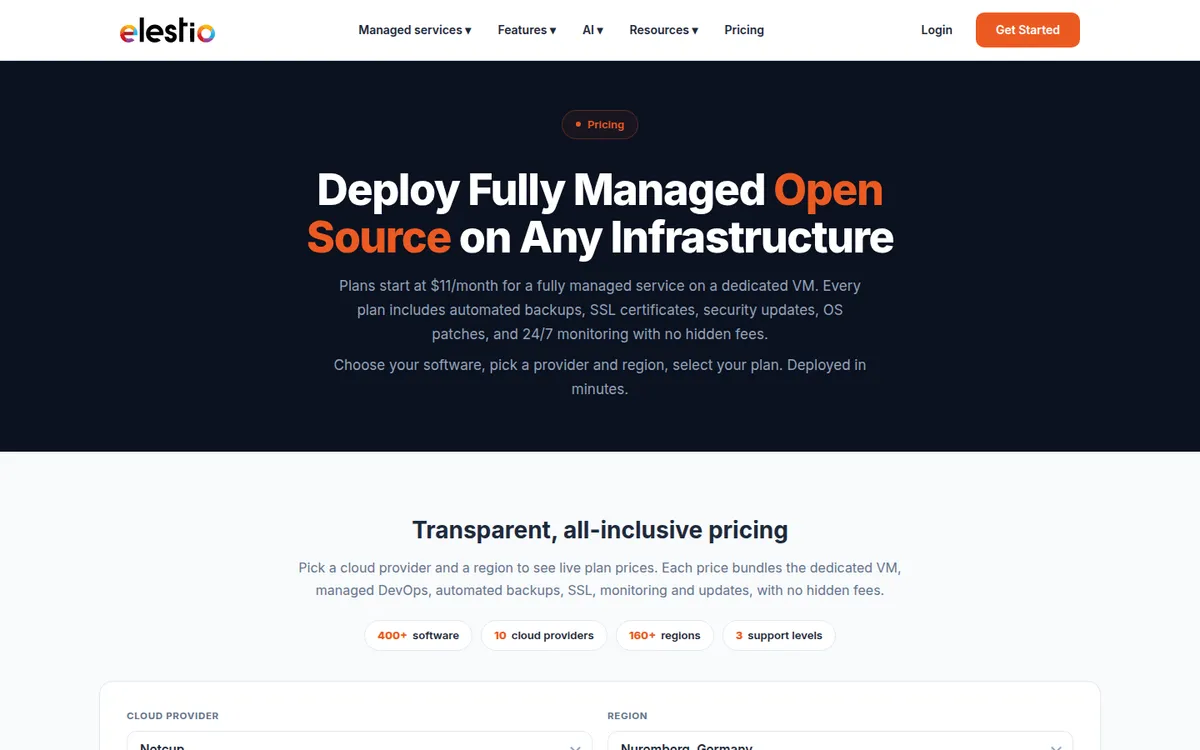
Elestio charges per service, per hour, from a prepaid credit balance. Monthly prices on its site assume 730 hours of uptime, and partial hours are billed as full hours. The price bundles the cloud VM, so you don't need your own account with Hetzner, Netcup or the other providers.
The live plan table on Elestio's pricing page loads with JavaScript, so we took the plan figures below from Elestio's own docs and provider pages. Prices vary by provider and region.
| Plan | vCPU | RAM | Storage | Approx. per month |
|---|---|---|---|---|
| Entry plan (varies by provider) | from $11 | |||
| Hetzner, 2 vCPU / 4 GB | 2 | 4 GB | 40 GB | from $17 |
| Netcup NC-MEDIUM-2C-4G | 2 | 4 GB | 60 GB | $16 |
| Netcup NC-LARGE-4C-8G | 4 | 8 GB | 100 GB | $30 |
| Netcup NC-XLARGE-8C-16G | 8 | 16 GB | 200 GB | $55 |
| Netcup NC-2XLARGE-16C-32G | 16 | 32 GB | 400 GB | $112 |
Sources: Elestio pricing page ($11 entry price), Elestio's managed Hetzner page ($17), and Elestio's pricing FAQ (Netcup plans, hourly rates of $0.0219 to $0.1534). Extra storage volumes are listed at $0.15 per GB per month.
Support plans cost extra, per service
| Level 1 | Level 2 | Level 3 | |
|---|---|---|---|
| Price per service | Included | $50/month | $200/month |
| Response time | 3 days | 24h (business hours) | 4h (business hours) |
| Channels | Email and phone | ||
| Backup retention | 7 days | 14 days | 30 days |
| VM snapshots | No | 2 | 4 |
According to Elestio's FAQ, Level 2 and Level 3 should be kept at least two weeks. Deleting the service sooner costs $25 or $100.
For most small sites, Level 1 is enough. Just know that "included support" means a reply within three days by email. If your site is how you make money and you can't wait that long, budget the $50.
The free "bring your own VM" option
If you already rent a server, Elestio's BYOVM option manages it for you. The docs list $5 per vCPU, $2.50 per GB of RAM and $0.25 per 10 GB of disk per month (about $21 for 2 vCPU / 4 GB / 40 GB). One BYOVM service per customer is free, up to 2 vCPU, 4 GB of RAM and 80 GB of disk. You still pay your cloud provider for the server.
The billing rules to know before you start
Prepaid credits are fine once you know how they work. These are the details we'd want someone to tell us up front, all from Elestio's billing docs:
Stopping a service doesn't stop the charge. Billing continues hourly until you delete the service. If you spin up an app to try it and then just power it off, you're still paying.
Zero balance means suspension. You need at least $5 in credits to start a service. If your balance reaches zero and auto-refill is off, services are suspended. After "a few days" they're deleted. Deleted services can be restored within 14 days, with a new IP address (so update your DNS).
Turn on auto-refill for anything important. Credits never expire, and each top-up must be between $10 and $1,000. Invoices are created when credits are added, not per month of usage, which can make bookkeeping a little odd.
The free trial auto-renews. The trial gives you $20 in credits for 3 days and up to 2 services. If you still have services running when it ends, Elestio says your account renews automatically for up to $25. Delete the services and turn off auto-refill if you don't want that.
Elestio alternatives
| Elestio | Coolify | Railway | Shared WordPress hosting | |
|---|---|---|---|---|
| Who runs the server | Elestio | You | Railway (containers) | The host |
| Dedicated VM per app | Yes | Your own servers | No | No |
| SSH access | Yes | Yes | No, per Elestio's comparison | Usually limited |
| Pricing model | Per app, hourly credits | Free self-hosted, or Coolify Cloud from $5/month plus your servers | Usage-based | Flat monthly plan |
- Elestio vs Coolify: Coolify is open source software you install on your own server. It's cheaper, but OS updates, backups, sizing and security are your job, as Sliplane's comparison notes. Choose it if you're comfortable with Linux.
- Elestio vs Railway: Railway is built for deploying code with usage-based pricing. Elestio's own comparison stresses its dedicated VMs, SSH and backups. Railway suits developers shipping apps more than a small business running WordPress. That comparison comes from Elestio, so read it with that in mind.
- Elestio vs shared WordPress hosting: If you only have one small brochure site, a regular WordPress host can be cheaper and simpler. Elestio makes more sense when you want your own server, or you also want to run other open-source tools like n8n.
Elestio for n8n and other apps
We haven't run n8n on Elestio, but it's one of the most common reasons people look at the service. The appeal is the same as for WordPress: a self-hosted n8n instance, kept updated and backed up, without running the server yourself. G2 lists n8n, Supabase and PostgreSQL among the 400+ services. Remember that each app is a separate service with its own price, so WordPress plus n8n is two servers, not one.
What other users say
On Trustpilot, Elestio has a 4.6 TrustScore from 121 reviews when we checked, with 94% 5-star and 2% 1-star. Trustpilot notes the company hasn't recently invited reviews, and only 23 came in the last 12 months, so the sample is small. Capterra had no user reviews.
Praise that comes up often: fast, technical support, one-click deployments, and not having to worry about updates.
Complaints that come up often: sign-up verification friction. Some reviewers were held in "pending review" or asked for ID, and Elestio replied that checks depend on risk signals like payment method and IP. Others mention apps not behaving the same after a migration, and restores that don't keep every domain or database setting.
Who Elestio is for
Good fit:
- Small businesses that want WordPress or another open-source app on its own server without becoming a sysadmin
- Teams running a few self-hosted tools (a site, n8n, a database) that want one dashboard for updates and backups
- Anyone who'd like to keep the option of SSH without needing it day to day
Not a good fit:
- People hosting many small sites. Per-app pricing adds up fast, and shared hosting or one server you manage yourself costs less.
- Anyone who needs fast support on a small budget. The included tier is email with a three-day target.
- People who won't watch a prepaid balance. Without auto-refill, an empty balance can take a site offline.
Is Elestio worth it?
For us, yes. Elestio takes care of the parts of a WordPress site we didn't want to manage (the server, updates, certificates and backups) for a monthly cost close to a decent VPS plus some extra. Just delete what you're not using, turn on auto-refill, and decide early whether three-day email support is enough. If that works for you, try Elestio with the free trial credits and deploy one app before you move anything important.
FAQ
How much does Elestio cost per month? Plans start at $11 a month per service, according to Elestio's pricing page. A 2 vCPU / 4 GB server is about $16–$17 a month depending on the provider. Paid support adds $50 or $200 per service per month.
Does Elestio have a free trial? Yes. The trial gives you $20 in credits for 3 days and up to 2 services. If services are still running when it ends, the account auto-renews for up to $25 unless you delete them and turn off auto-refill.
Do I pay for an Elestio service that's stopped? Yes. Billing continues hourly until the service is deleted. Powering it off doesn't stop the charge.
Do I need my own Hetzner or AWS account? No. Elestio's price includes the server and you pay only Elestio. If you'd rather use your own server, the BYOVM option manages it for you, and one BYOVM service is free.
Can I use my own domain with Elestio?
Yes. Add an A record (and a CNAME for www) pointing to your service, add the domain in the Elestio dashboard, and it generates the SSL certificate. If you use Cloudflare's proxy, follow Elestio's separate guide, because the proxy blocks certificate issuance.
Disclosure: if you buy through our links we may earn a commission. It never changes our verdict. Details.
Sources
- Elestio: Pricing
- Elestio Docs: How does Elestio's pricing work?
- Elestio Docs: Billing
- Elestio Docs: Free trial
- Elestio Docs: BYOVM (Bring Your Own VM)
- Elestio Docs: Backups
- Elestio Docs: Custom domain and automated encryption (SSL/TLS)
- Elestio: Managed WordPress hosting
- Elestio: WordPress managed service features
- Elestio: WordPress plans and pricing
- Elestio: Managed Hetzner
- Elestio: Elestio vs Railway
- Sliplane: 5 Elestio alternatives in 2026
- Elestio reviews on Trustpilot
- Elestio on Capterra
- Elestio reviews on G2
Vendors change plans often, so confirm on the official site before buying.