Our verdict
Pick Framer if you want a polished marketing site or small blog fast, mostly edited by one person, and you're fine hosting it with Framer for good. Its Basic plan is $10 a month on yearly billing and already includes a CMS. Pick Webflow if you need a bigger CMS (20,000 items on Premium), a real built-in store, more static pages, or the option to export your code. Webflow costs more and takes longer to learn, but it has more room to grow.
- Best for
- Framer: designers, startups and small businesses that want a good-looking site with a light blog, built quickly, edited by one or two people. Webflow: content-heavy sites, small online stores and teams with a designer who wants deep control, plus anyone who wants an exit route through code export.
- Skip if
- Framer: online stores (no built-in checkout), sites that need thousands of CMS items, and anyone who might want to self-host later (Framer doesn't export code). Webflow: owners who want to launch this weekend with no learning curve, and tight budgets once seats and add-ons pile up.
- Price
- Framer: Free; Basic $10/month and Pro $30/month on yearly billing (about $15 and $45 billed monthly); extra editors $20/month. Webflow: Starter free; Basic $15/month and Premium $25/month on yearly billing ($25 and $39 monthly); Ecommerce from $29/month yearly (November 14, 2026)
What works
- Framer Basic is $10 a month (yearly) and includes 2 CMS collections and 1,000 items; Webflow Basic is $15 and has no CMS at all
- Framer's editor scores higher on G2 for ease of use and setup, and reviewers say non-coders get a site live faster
- Webflow Premium ($25/month yearly) holds 20,000 CMS items in 40 collections, versus 2,500 items on Framer Pro ($30)
- Webflow has native ecommerce plans and code export; Framer has neither
What doesn't
- Framer's help center says it does not offer HTML export for self-hosting, so leaving means rebuilding
- Framer Basic is capped at 30 pages; Webflow Basic allows up to 300 static pages
- Webflow's pricing stacks Site plans, Workspace seats and add-ons, and its learning curve is the most common complaint on G2
- Both score badly on Trustpilot (Framer 1.6, Webflow 1.4), mostly over billing, refunds and AI-first support
Framer vs Webflow is a choice between speed and depth. Framer gets a good-looking site live fast, with a CMS on its cheapest paid plan. Webflow gives you a bigger CMS, a built-in store and code export, but costs more and takes longer to learn.
The short answer: pick Framer if you want a polished marketing site or a small blog, one person does most of the editing, and you're happy to host with Framer for good. Pick Webflow if you'll publish hundreds or thousands of posts, want to sell products without plugins, or want the option to take your code with you.
Where we stand: we don't use either one. Our own sites run on WordPress and on a static setup behind Caddy. This comparison is built from both vendors' pricing pages and help centers read on November 14, 2026, independent pricing breakdowns from 2026, and public reviews on G2 and Trustpilot. For the deeper Webflow picture, see our Webflow review. Sources are listed at the end.

Framer vs Webflow side by side
| Framer | Webflow | |
|---|---|---|
| Built for | Fast, design-led marketing sites and light blogs | Content-heavy sites, stores and teams with a designer |
| Free plan | Framer subdomain, 1 GB bandwidth, 500 AI credits, "ideal for non-commercial use" | Starter: webflow.io subdomain, for building and testing |
| Cheapest paid plan | Basic: $10/month yearly (about $15 monthly) | Basic: $15/month yearly ($25 monthly) |
| CMS on cheapest plan | Yes: 2 collections, 1,000 items | No CMS on Basic |
| Mid plan | Pro: $30/month yearly (about $45 monthly) | Premium: $25/month yearly ($39 monthly) |
| CMS on mid plan | 10 collections, 2,500 items (expandable to 40,000 with add-ons) | 40 collections, 20,000 items |
| Pages | 30 on Basic, 150 on Pro (up to 700 with add-ons) | Up to 300 static pages on Basic and Premium |
| Bandwidth | 50 GB Basic, 100 GB Pro | 10 GB Basic, 50 GB Premium |
| Extra editors | $20/month per editor, $10 for content-only editors (yearly) | Workspace seats: $39/month full, $15 limited (third-party figures) |
| Built-in ecommerce | No; uses plugins such as Stripe checkout or Shopify buttons | Yes, from $29/month yearly plus a 2% fee on Standard |
| Code export | No HTML export for self-hosting | Yes, but CMS, ecommerce and localized content don't export |
Framer figures are from its pricing page on November 14, 2026 (shown in euros to our European server; U.S. figures are the same in dollars, per Dupple's November 2026 breakdown). Monthly-billing Framer prices are from SaaS CRM Review's October 2026 capture, since Framer's page shows yearly billing by default. Webflow figures are from its pricing page on November 14, 2026, plus BRIX Templates and Usecarly for limits and seats.
What Framer costs in 2026
| Plan | Yearly billing | Monthly billing | Main limits |
|---|---|---|---|
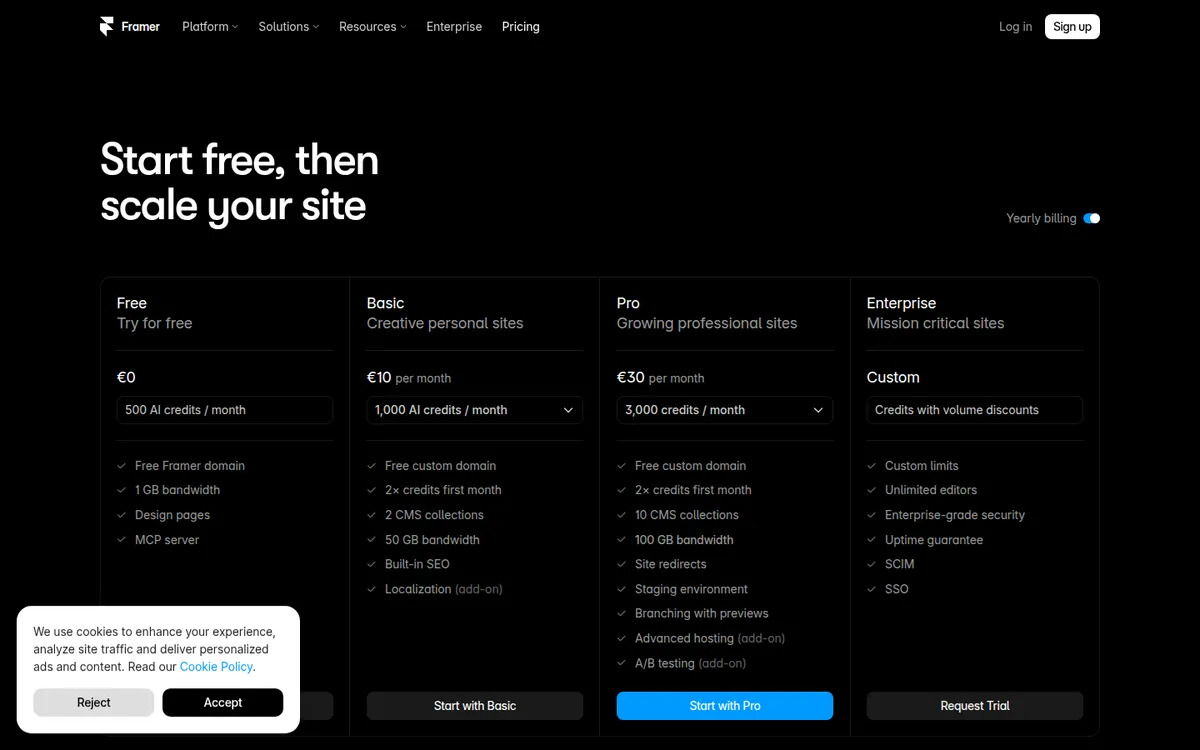
| Free | $0 | $0 | Framer domain, 1 GB bandwidth, 500 AI credits, up to 3 editors |
| Basic | $10/month | about $15/month | Custom domain, 30 pages, 2 CMS collections, 1,000 CMS items, 50 GB bandwidth |
| Pro | $30/month | about $45/month | 150 pages, 10 collections, 2,500 items, 100 GB bandwidth, redirects, staging, branching |
| Enterprise | Custom | Custom | SSO, SCIM, unlimited editors, uptime guarantee |
What adds up on Framer:
- Editors. The workspace owner is free. Each additional editor is $20 a month, and a content-only editor is $10, according to Framer's pricing page. SaaS CRM Review lists $30 and $15 on monthly billing.
- Languages. $20 per extra locale a month, up to 20.
- Pro add-ons. Extra pages are $20 per 100, extra CMS items $20 per 10,000, extra bandwidth $40 per 100 GB.
- Refunds. The pricing page's FAQ only promises refunds within 14 days for EU and Turkish customers. SaaS CRM Review reports a 7-day window elsewhere, which we couldn't confirm on Framer's own page.
Framer's price history is worth knowing. According to Siter.io's tracking, Framer cut Basic from $15 to $10 in October 2025, then in June 2026 removed its Scale tier and cut editor seats from $40 to $20. Prices that move this often can move up, too.
What Webflow costs in 2026
| Plan | Yearly billing | Monthly billing | Main limits |
|---|---|---|---|
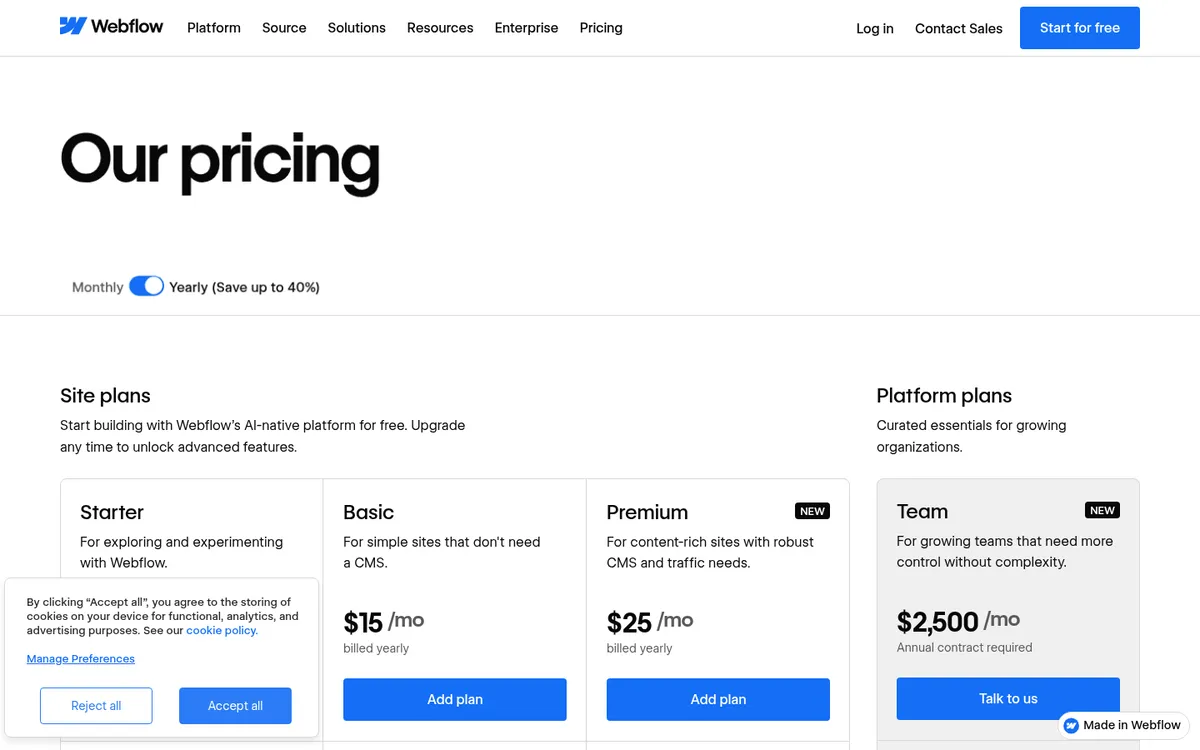
| Starter | $0 | $0 | webflow.io subdomain, for building and testing |
| Basic | $15/month | $25/month | Custom domain, up to 300 static pages, 10 GB bandwidth, unlimited form submissions, no CMS |
| Premium | $25/month | $39/month | 20,000 CMS items in 40 collections, 50 GB bandwidth (add-ons up to 2.5 TB) |
| Ecommerce Standard | $29/month | — | Online store with a 2% Webflow transaction fee |
| Team | $2,500/month | Annual contract | For larger organizations |
Webflow merged its old CMS ($23) and Business ($39) plans into Premium on May 13, 2026, according to Digidop. For most small sites with a blog, that was a better deal: more CMS items for about the same money.
The catch is the second bill. Webflow charges for Site plans (hosting) and Workspace plans (people) separately. A solo owner can usually stay on the free Workspace. Once you add teammates, Usecarly's July 2026 breakdown lists full seats at $39 a month and limited seats at $15. Localization is $9 per locale a month on the Essential tier, per the same source.
Framer vs Webflow pricing: four real examples
Here's what each would cost per year on yearly billing. This is our own math from the pricing pages and the third-party figures above, before taxes and payment fees.
| Scenario | Framer | Webflow |
|---|---|---|
| 5-page site for a local service business, one owner | Basic: $120/year | Basic: $180/year |
| Blog with 200 posts, one owner | Basic: $120/year (fits 2 collections, 1,000 items) | Premium: $300/year (Basic has no CMS) |
| Marketing site in 2 languages, owner + 1 teammate | Pro $360 + editor $240 + 1 locale $240 = about $840/year | Premium $300 + 1 locale $108 + limited seat $180 = about $588/year (about $876 with a full seat) |
| Small store with 20 products | Basic $120 + a checkout plugin and Stripe fees (plugin cost varies) | Ecommerce Standard: $348/year + 2% of sales + card fees |
What the numbers say:
- For a small site or a simple blog, Framer is cheaper. It's the only one with a CMS on the entry plan.
- Once you add people and languages, Webflow can come out ahead, because Framer's per-editor and per-locale fees are higher.
- For a store, Webflow is the safer choice. Framer can sell through plugins, but there's no checkout built in, according to CartMango and the plugin vendors themselves.
Where Framer is better
- Speed to launch. On G2's comparison page, reviewers give Framer 8.4 for ease of use against Webflow's 8.1, and 8.9 vs 8.4 for ease of setup (figures from search snapshots; G2 blocked our direct check).
- CMS on the cheapest plan. $10 a month gets you a blog. On Webflow, the cheapest plan with a CMS is $25.
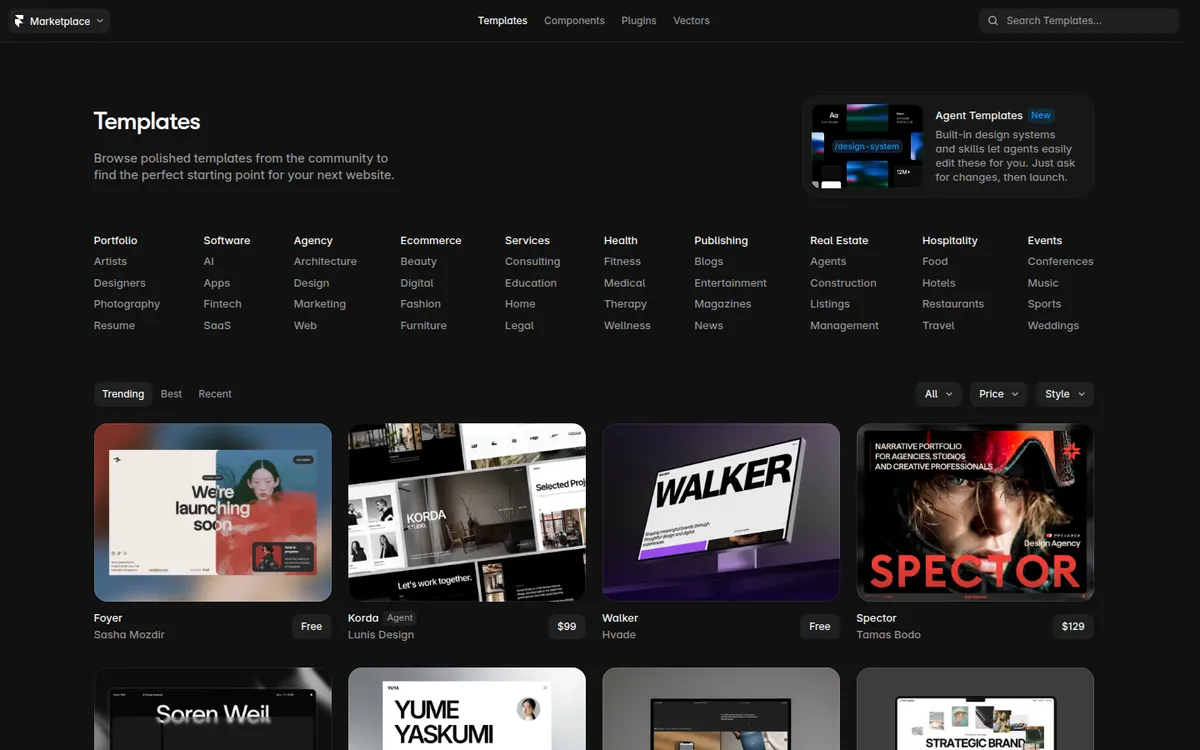
- Templates with a strong visual style. The marketplace mixes free and paid templates, many aimed at studios, startups and portfolios.
- AI tools included. Every plan comes with AI credits: 1,000 a month on Basic and 3,000 on Pro, according to the pricing page.
Where Webflow is better
- Bigger CMS. 20,000 items on Premium. Framer Pro tops out at 2,500 before add-ons.
- More pages and forms. Up to 300 static pages even on Basic, with unlimited form submissions.
- Real ecommerce. Product catalog, cart and checkout without third-party plugins.
- An exit route. Webflow's help center explains how to export your site's code, though CMS, ecommerce and localized content don't come with it. Framer's help center says plainly that it "does not offer HTML export for self-hosting" and that if you need to export source code, Framer "may not be the right solution."
- A huge ecosystem. Webflow has many more G2 reviews (about 990 vs about 140) and a large pool of freelancers and agencies who know it.
What users complain about
Framer scores 1.6 out of 5 on Trustpilot from 153 reviews, with 77% one-star (read November 14, 2026). Complaints focus on support handled mostly by AI bots, unexpected charges, AI credit costs, difficult refunds and bugs in responsive layouts. Framer hasn't replied to negative reviews there.
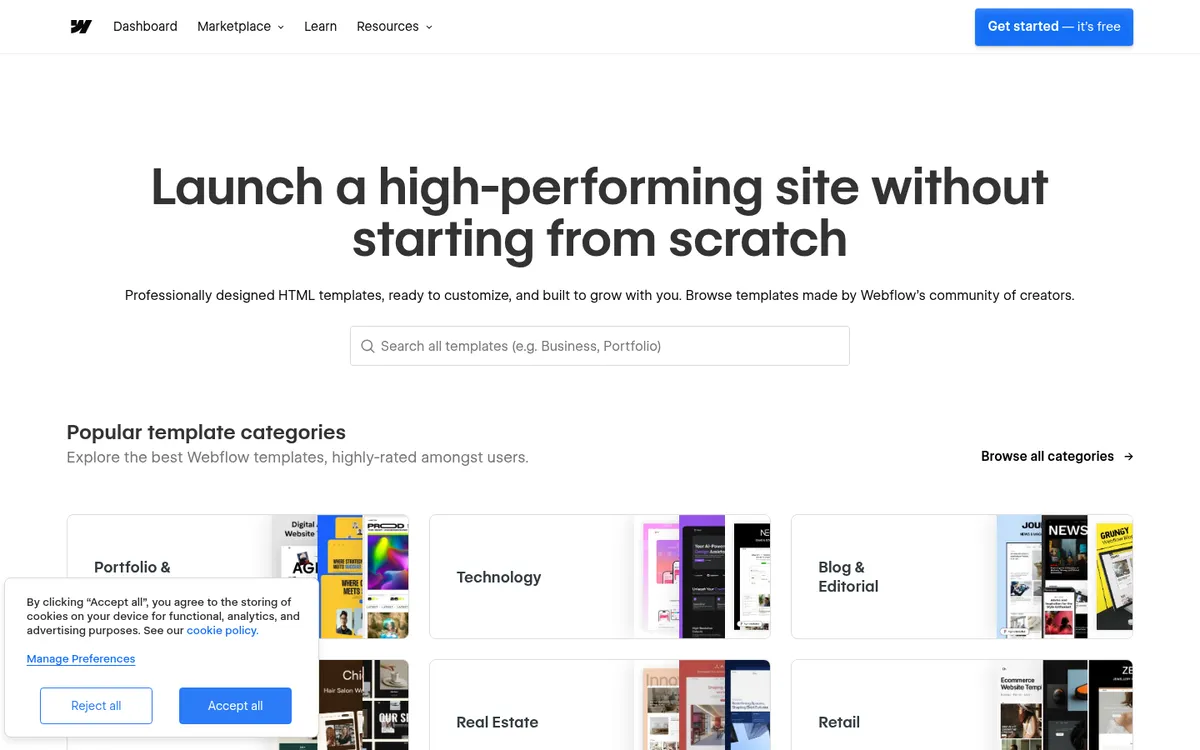
Webflow scores 1.4 from 241 reviews, with 67% one-star. Complaints are about plan price increases, annual renewals that weren't refunded, chatbot-first support, and an interface reviewers find complex. Praise goes to design control and templates.
Trustpilot reviews skew toward people with a billing problem. On G2, where reviewers are mostly working users, both score about 4.4 to 4.5 out of 5. The lesson is the same for both: put the renewal date in your calendar and read the refund terms before paying for a year.
Framer vs Webflow for small business: which should you pick?
Choose Framer if:
- You need a good-looking site this month, and one person will run it.
- Your site is under 30 pages (Basic) or 150 (Pro), with a modest blog.
- You don't sell products, or you're fine adding a checkout plugin.
- You accept that moving away later means a rebuild.
Choose Webflow if:
- You'll publish a lot: hundreds or thousands of posts, listings or case studies.
- You want to sell products with a built-in store.
- You have, or will hire, a designer who knows Webflow.
- You want the option to export your code.
Webflow alternatives (and Framer alternatives)
If neither feels right:
- WordPress is what we run our closet-design site on. It's free software, you own everything, and you can move hosts any time, but you handle updates and plugins. See Webflow vs WordPress.
- Wix and Squarespace are easier all-in-one builders with built-in stores. See Squarespace vs Wix and Wix vs WordPress.
FAQ
Is Framer cheaper than Webflow?
For small sites, yes. Framer Basic is $10 a month on yearly billing and includes a CMS; Webflow's cheapest plan with a CMS is Premium at $25. With several editors or languages, Webflow can end up cheaper.
Is Framer good for SEO?
Framer's paid plans list built-in SEO settings, and Pro adds redirects. Both builders let you set titles, descriptions and clean URLs. Rankings depend far more on your content than on which of the two you pick.
Does Framer have a free plan?
Yes. It runs on a Framer subdomain with 1 GB of bandwidth and 500 AI credits, and Framer describes it as best for non-commercial use. A custom domain needs a paid plan.
Can I move my site from Framer to Webflow?
Not automatically. Framer doesn't export HTML, so you'd rebuild the design in Webflow and move your CMS content over. Third-party export tools exist, but they aren't Framer products.
Can I sell products on Framer?
Only through third-party plugins, such as a Stripe checkout or Shopify buy buttons. Framer has no built-in cart or checkout.
Disclosure: if you buy through our links we may earn a commission. It never changes our verdict. Details.
Sources
- Framer: Pricing (plans, limits, editors, add-ons, refunds FAQ)
- Framer Help: Can I export my website to HTML and self-host it?
- Framer Marketplace: Templates
- SaaS CRM Review: Framer pricing 2026 with monthly billing (checked October 2026)
- Siter.io: Framer pricing history (read October 27, 2026; published by a competitor)
- Dupple: Framer pricing 2026 (November 3, 2026)
- CartMango: Framer ecommerce in 2026, no checkout built in
- Webflow: Pricing
- Webflow: Templates
- Webflow blog: Simplified plans and updated pricing (May 2026)
- BRIX Templates: Webflow May 2026 pricing changes explained
- Digidop: Webflow pricing update in May 2026
- Usecarly: Webflow pricing in 2026, Site plans vs Workspace plans (July 15, 2026)
- Webflow Help Center: How do I export my Webflow site code?
- G2: Framer vs Webflow comparison
- Framer reviews on Trustpilot
- Webflow reviews on Trustpilot
Prices and features checked on November 14, 2026. Vendors change plans often, so confirm on the official site before buying.