Our verdict
Pick QuickBooks Online if your accountant works in it, you're a one-person business sending lots of invoices, or you want payroll built in. Pick Xero if two or more people need to log in, you bill in other currencies, or you want the lower bill: Xero costs less at every tier and charges no per-user fees. Ask your accountant before you choose. That answer usually settles it.
- Best for
- QuickBooks: solo owners who send more than 20 invoices a month, businesses whose accountant uses QuickBooks, and anyone who wants payroll, payments and phone support from one vendor. Xero: teams of 2 to 10 sharing the books, service firms with foreign clients or projects, and owners whose accountant already uses Xero.
- Skip if
- QuickBooks: growing teams on a budget, since users are capped at 1, 3, 5 or 25 by plan. Xero: owners who want phone support or native payroll, and anyone whose accountant only works in QuickBooks.
- Price
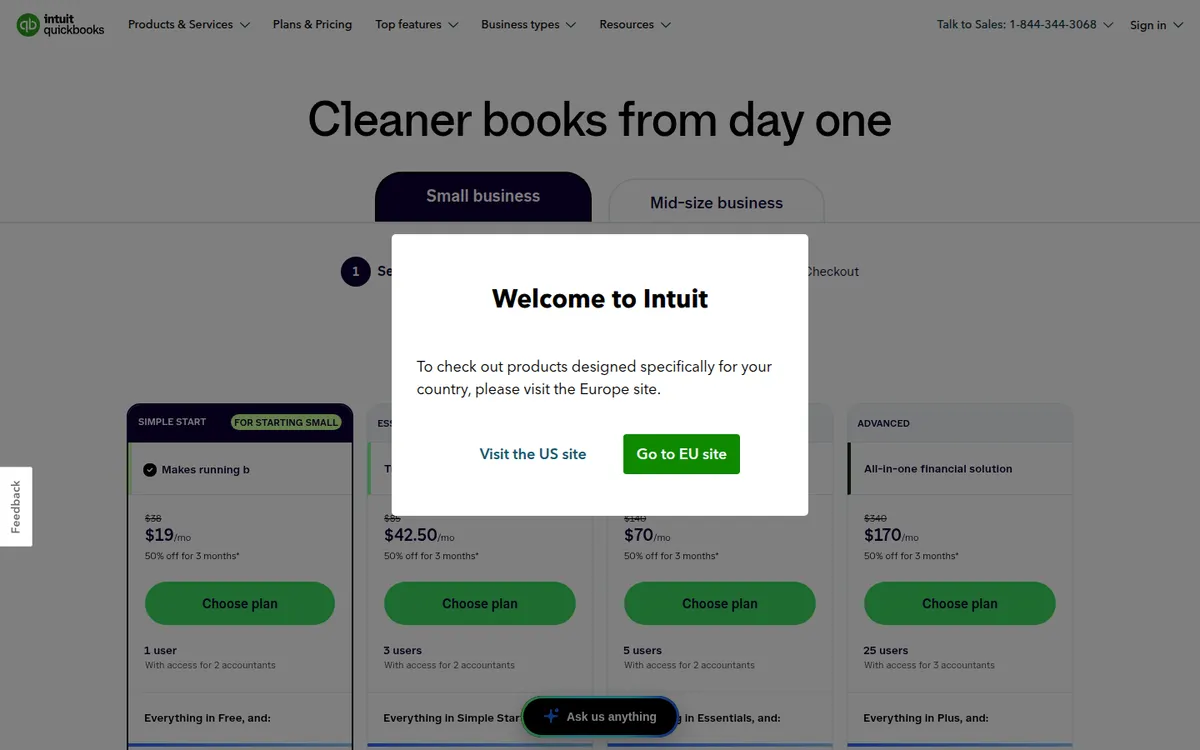
- QuickBooks Online: limited Free plan; Simple Start $38/month, Essentials $85, Plus $140, Advanced $340 at list (50% off for 3 months for new customers). Xero: no free plan; Early $27/month, Growing $59, Established $97 (80% off for 3 months for new U.S. customers when we checked)
What works
- Xero charges no per-user license fees on any plan; QuickBooks caps users at 1, 3, 5 or 25
- QuickBooks Simple Start has unlimited invoices at $38; Xero's $27 Early plan stops at 20 a month
- Xero is cheaper at list price on every tier: $27, $59 and $97 against $38, $85 and $140
- QuickBooks sells payroll as a native bundle and has a limited free plan; Xero has neither
What doesn't
- Both raised prices in 2026: QuickBooks in August (Essentials and up), Xero in October (all plans)
- Both headline prices are 3-month promos, so year one costs far more than the plan cards suggest
- Xero's U.S. payroll is a Gusto-powered add-on at $36 a month plus $6 per person
- QuickBooks' user caps force a jump from $38 to $85 a month as soon as a second non-accountant needs access
If you're comparing Xero vs QuickBooks, both will connect your bank, send invoices, pay bills and produce the reports your tax preparer needs. For a small U.S. business, the choice comes down to three things: how many people need to log in, how many invoices you send, and which program your accountant already uses.
Where we stand: we haven't used either one for our own books. This comparison is built from both vendors' U.S. pricing, payroll and help pages, checked on November 13, 2026, plus public reviews and the research behind our QuickBooks Online review and Xero review. Sources are listed at the end.

The short answer
- Pick QuickBooks Online if your accountant or bookkeeper works in QuickBooks, you run the business alone and send more than 20 invoices a month, or you want payroll, card payments and phone support from one company.
- Pick Xero if two or more people need access, you bill clients in other currencies or track projects, or you simply want the lower monthly bill. Xero is cheaper at list price on every tier and has no per-user fees.
If your accountant has a strong preference, follow it. Paying them to work in software they don't know will cost more than the price gap.
Xero vs QuickBooks Online side by side
| QuickBooks Online | Xero | |
|---|---|---|
| Free plan | Yes, very limited: 1 user, 1 bank connection, 2 invoices a month | No |
| Entry paid plan | Simple Start, $38/month | Early, $27/month |
| Invoice limit on entry plan | Unlimited | 20 invoices and 5 bills a month |
| Users | 1, 3, 5 or 25 by plan | No per-user license fees |
| Accountant access | 2 accountant seats (3 on Advanced) | Covered by no per-user fees |
| New-customer promo | 50% off for 3 months, or a 30-day trial | 80% off for 3 months, or one month free |
| Annual billing | No annual contract; monthly | Monthly only |
| U.S. payroll | Native, sold as bundles from $88/month + $6.50 per employee | Gusto-powered add-on, $36/month + $6 per person |
| Inventory | Included on Plus ($140) | Inventory Plus add-on on Growing and Established (price not listed) |
| Latest price increase | August 1, 2026 (Essentials and up) | October 1, 2026 (all plans) |
| After you cancel | Read-only access for 1 year | Data archived, recoverable for up to 7 years by reactivating |
QuickBooks figures come from Intuit's pricing, payroll and help pages. Xero figures come from its U.S. pricing page, offer terms and FAQ.
What QuickBooks Online and Xero cost in 2026
Both pricing pages lead with a three-month promo. These are the list prices you pay from month four.
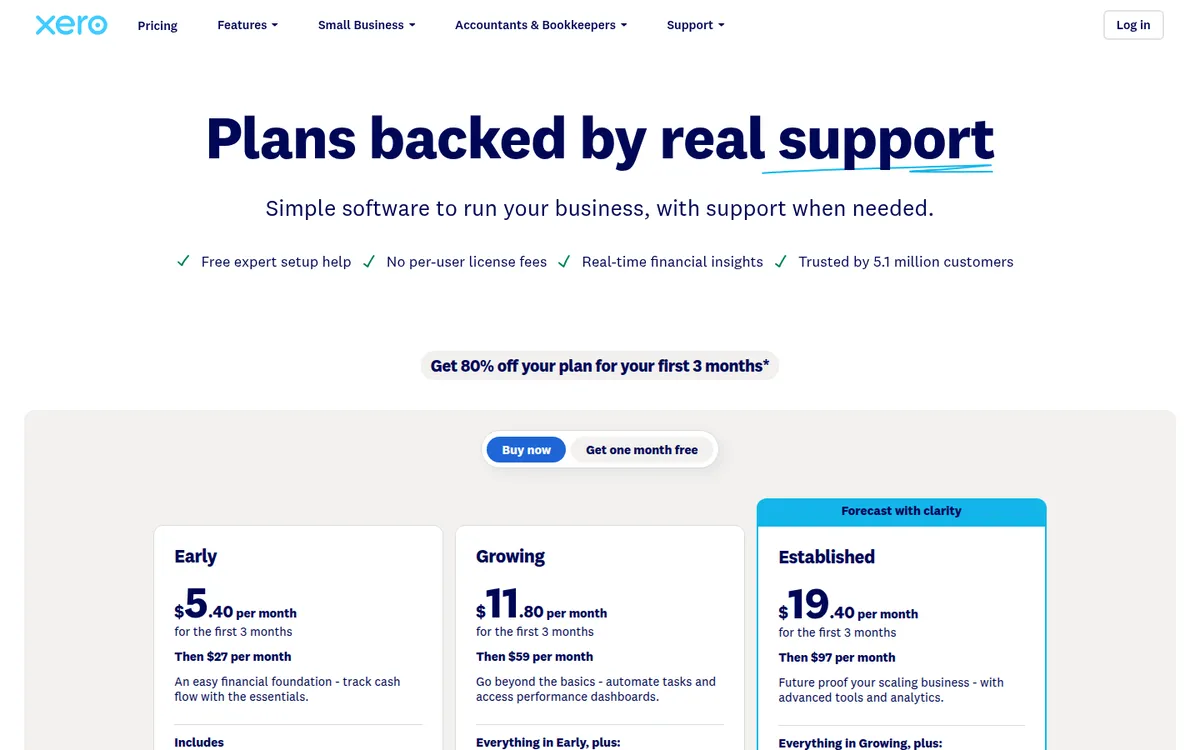
| Plan | List price/month | Promo (first 3 months) | Users | Invoice limit |
|---|---|---|---|---|
| QuickBooks Free | $0 | — | 1 | 2 a month (unlimited with QuickBooks Payments) |
| QuickBooks Simple Start | $38 | $19 | 1 | Unlimited |
| QuickBooks Essentials | $85 | $42.50 | 3 | Unlimited |
| QuickBooks Plus | $140 | $70 | 5 | Unlimited |
| QuickBooks Advanced | $340 | $170 | 25 | Unlimited |
| Xero Early | $27 | $5.40 | No per-user fees | 20 invoices, 5 bills a month |
| Xero Growing | $59 | $11.80 | No per-user fees | Unlimited |
| Xero Established | $97 | $19.40 | No per-user fees | Unlimited |
The tiers don't line up one to one. Xero's Growing plan, with unlimited invoices and automatic reconciliation, is the plan most active businesses land on. On the QuickBooks side, that's usually Simple Start for one person or Essentials for a small team.
Year one and year two, our math
Because both discounts last only three months, first-year cost sits close to full price:
| Plan | Year one (3 promo months + 9 at list) | Year two |
|---|---|---|
| QuickBooks Simple Start | $399 | $456 |
| QuickBooks Essentials | $892.50 | $1,020 |
| QuickBooks Plus | $1,470 | $1,680 |
| Xero Early | $259.20 | $324 |
| Xero Growing | $566.40 | $708 |
| Xero Established | $931.20 | $1,164 |
These figures are our own arithmetic from the list prices above, before tax, payroll or payment fees. Both companies raised prices in 2026. Intuit raised Essentials, Plus and Advanced for renewals from August 1, according to Insightful Accountant. Xero raised all three U.S. plans on October 1 for new and existing subscribers ($25, $55 and $90 became $27, $59 and $97). Budget for another increase in a year or so.
Which one costs less for your team size
User caps and invoice caps flip the answer depending on who you are. At list price, per month:
| Your situation | QuickBooks Online | Xero | Cheaper |
|---|---|---|---|
| Solo, under 20 invoices a month | Simple Start, $38 | Early, $27 | Xero |
| Solo, 40 invoices a month | Simple Start, $38 | Growing, $59 | QuickBooks |
| 3 people in the books | Essentials, $85 | Growing, $59 | Xero |
| 5 people, need budgets or projects | Plus, $140 | Established, $97 | Xero |
| 8 people | Advanced, $340 | Growing or Established, $59–$97 | Xero |
| Solo with 5 employees on payroll | Payroll + Simple Start, $88 + 5 × $6.50 = $120.50 | Early or Growing + payroll, $27–$59 + $36 + 5 × $6 = $93–$125 | Close; depends on invoices |
Two things stand out. QuickBooks' only real price advantage is the solo owner who invoices a lot, because Simple Start has no invoice cap. And the moment a second person who isn't your accountant needs to log in, QuickBooks jumps from $38 to $85, while Xero stays at $59.
Features that actually differ
Day to day, both do the same core jobs: bank feeds, reconciliation, invoices and quotes, bills, sales tax, 1099s and standard reports. The differences:
- Reconciliation. Xero's bank reconciliation screen is the feature its reviewers praise most. Auto-reconcile is included on Growing and Established and costs $5 a month on Early. QuickBooks' pricing page lists automatic transaction categorization on Plus and Advanced.
- Inventory. QuickBooks includes inventory on Plus. Xero sells Inventory Plus as an add-on on Growing and Established and doesn't publish the price on the pricing page.
- Multi-currency and projects. Xero puts multi-currency, project time and cost tracking, and expense claims on Established at $97. QuickBooks puts project profitability and 40 classes and locations on Plus at $140.
- Payroll. QuickBooks runs its own payroll and sells it bundled with the accounting plan. Xero's U.S. payroll launched in August 2026 and is powered by Gusto. It covers tax filings, direct deposit, W-2s and 1099s, according to Insightful Accountant.
- Getting paid. QuickBooks Payments charges 2.99% on invoiced cards and 1% on ACH. Xero routes invoice card payments through Stripe at 2.9% + 30¢ for domestic cards.
- Support. QuickBooks advertises phone support during its trial, and Advanced adds priority support. Xero's U.S. FAQ lists 24/7 online support but no phone line, though every plan includes free setup help and a Xero Coach for the first 90 days.
What users say about each
When we last checked, QuickBooks Online had 4.3 out of 5 on Capterra (about 8,400 reviews) and 3.7 on Trustpilot (about 16,900). Xero had about 4.4 on Capterra (about 3,300) and 4.1 on Trustpilot (about 11,500). We took the QuickBooks numbers on October 26 and the Xero numbers on November 7, 2026.
The patterns are similar:
- Both: reviewers say they're easy for non-accountants once set up, and both get steady complaints about price increases.
- QuickBooks: glitches, bank-feed and integration problems, interface changes that moved familiar tasks, and support quality that varies by agent.
- Xero: slow email support, long-requested features that take years to ship, and needing third-party apps for inventory as the business grows.
Many of Xero's Trustpilot reviewers are outside the U.S., where Xero is bigger. Read both sets of complaints as risks to check during your trial, not as the typical experience.
Switching from QuickBooks to Xero
Xero's U.S. site offers a free migration from QuickBooks Online for eligible new customers. It's done by Q2X, a migration team from Xendoo, after a free consultation that confirms you qualify. Xero says "all of your QuickBooks history, for all time" comes with you: contacts, chart of accounts, invoices, bills, payments, journals and sales tax.
What doesn't come over: attachments, budgets and bank rules must be set up again, and W-2 information from payroll doesn't convert. The page covers QuickBooks Online only, not Desktop.
Going the other way, Intuit's help center says you keep read-only access to a cancelled QuickBooks Online company for one year. Export your reports before then, and keep the old records for as long as the IRS requires.
Who should pick QuickBooks Online
- Owners whose accountant uses QuickBooks. It's the default for many U.S. firms, and Simple Start includes two accountant seats.
- Solo businesses that invoice per job. A cleaner or contractor sending 40 invoices a month pays $38 on Simple Start against $59 on Xero Growing.
- Businesses that want payroll and accounting from one vendor, with phone support during setup.
- Product businesses that need inventory without buying an add-on.
Who should pick Xero
- Small teams sharing the books. An owner, an office manager and a bookkeeper all log in for $59 a month.
- Service firms with foreign clients or project work. Established covers multi-currency and project tracking for $97, against $140 for QuickBooks Plus.
- Owners who send fewer than 20 invoices a month and want the cheapest paid plan at $27.
- Anyone whose accountant already works in Xero.
Is Xero better than QuickBooks?
On price and user access, yes. Xero costs less at every list-price tier and doesn't charge per user. On U.S. accountant familiarity, built-in payroll and phone support, QuickBooks has the edge, and it's the cheaper choice for a one-person business that sends lots of invoices.
The practical test: count the invoices you sent last month, count the people who need a login, and ask your accountant which one they use. Then start a trial of QuickBooks Online or Xero with your real bank feed connected and run one month of transactions through it.
FAQ
Is Xero cheaper than QuickBooks?
At list price, yes, at every tier: $27 against $38 for the entry plan, $59 against $85 for the next one, and $97 against $140 for the one after that. QuickBooks' entry plan has no invoice cap, while Xero's caps you at 20 a month.
Do accountants prefer QuickBooks or Xero?
In the U.S., QuickBooks is far more common, so many accountants and bookkeepers know it best. Plenty also work in Xero. Ask yours before you decide.
Can I switch from QuickBooks to Xero?
Yes. Xero offers eligible new customers a free migration from QuickBooks Online through its partner Q2X, including full transaction history. Attachments, budgets and bank rules have to be set up again.
Does Xero have payroll like QuickBooks?
Yes, through Xero Payroll, powered by Gusto, at $36 a month plus $6 per employee or contractor. QuickBooks sells its own payroll bundled with an accounting plan, starting at $88 a month plus $6.50 per employee.
Does either have a free plan?
QuickBooks has a limited Free plan: one user, one bank connection, two invoices a month (unlimited with QuickBooks Payments) and no accountant access. Xero has no free plan, only a one-month free option or a new-customer discount.
Disclosure: if you buy through our links we may earn a commission. It never changes our verdict. Details.
Sources
- QuickBooks: Plans and pricing
- QuickBooks Payroll: Pricing
- QuickBooks Payments: Payment rates
- QuickBooks Help: Cancel your QuickBooks Online subscription or trial
- Insightful Accountant: August 1st QuickBooks Online price changes
- Xero US: Pricing plans
- Xero US: Pricing update and offer terms
- Xero US: Common questions
- Xero US: Convert from QuickBooks
- Xero US: Pricing and fees for Stripe accounts
- Insightful Accountant: Xero announces U.S. subscription price changes
- Insightful Accountant: Xero launches Xero Payroll powered by Gusto
- Trustpilot: QuickBooks reviews
- Trustpilot: Xero reviews
- Capterra: QuickBooks Online reviews
- Capterra: Xero reviews
- Acuity: Xero vs QuickBooks in 2026
Prices and features checked on November 13, 2026. Vendors change plans often, so confirm on the official site before buying.