
Our verdict
A real free POS for small shops and restaurants, strongest where prices live in two currencies and customers buy on credit.
- Best for
- Small retailers, corner stores and restaurants in Latin America that sell in two currencies, sell on credit, and want to start at $0
- Price
- Free forever up to 30 invoices a month; paid plans for more (prices can change)
What works
- Free plan includes every app, up to 30 invoices a month, and no card to sign up
- Prices and totals in two currencies at once, with an automatic official rate or your own
- Customer credit with a fixed limit or one that grows with what the customer has paid
- The register keeps selling without internet and sends the sales when the connection returns
What doesn't
- Receipts and invoices are non-fiscal: no tax-authority e-invoicing or fiscal printer
- No built-in card processing; card sales are recorded, not charged, by the POS
- It's a young product with no public reviews yet
Disclosure: Real Tool Stack is affiliated with FlexoPOS. There's no affiliate link in this article.
If you run a small shop and want a free POS system that does more than ring up sales, this is what FlexoPOS gives you, how the plans work, and where another tool will serve you better.
It was built for the kind of business that's common in Latin America: a corner store, a pharmacy, a bakery or a small restaurant where prices are set in dollars but customers pay in local currency, regulars buy on credit, and the internet drops at the worst moment. It runs in the browser on a computer, tablet or phone, in English, Spanish or Portuguese.
What FlexoPOS does
FlexoPOS is a set of connected apps. What you sell comes out of inventory, what you buy goes in, and the reports are built from both. The home page lists twelve:
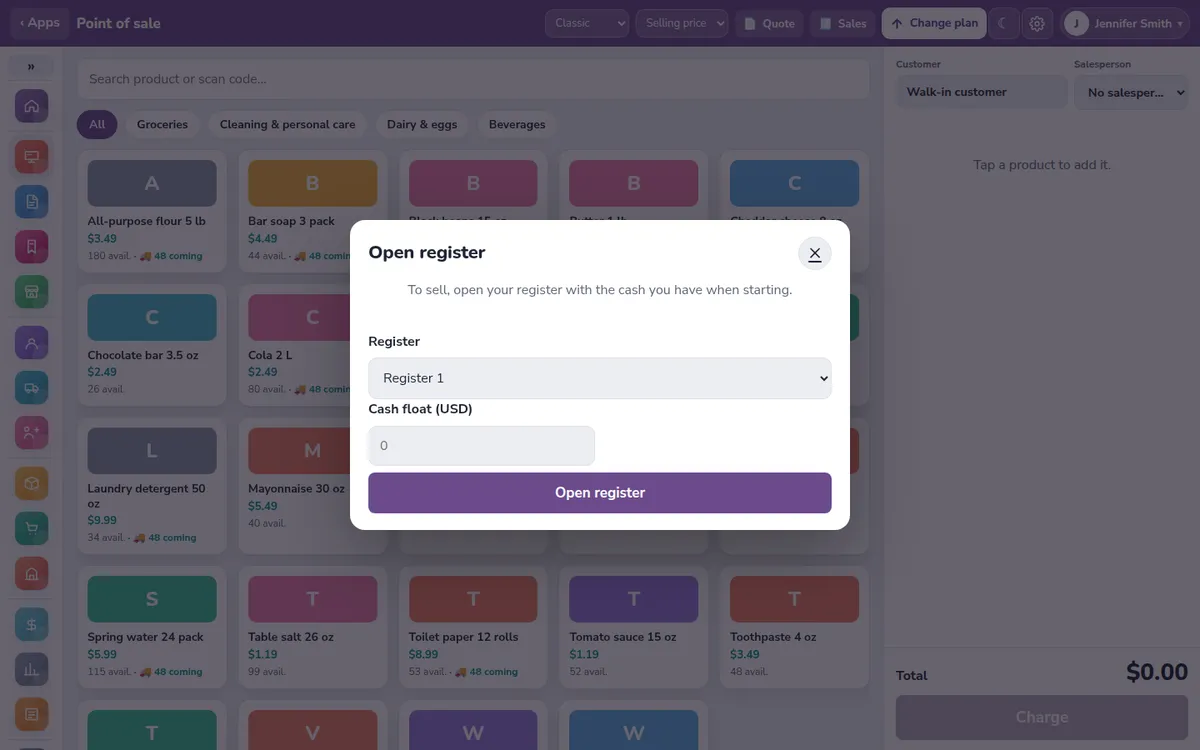
- Point of sale: barcode scanner, several payment methods per sale, and end-of-day register closing.
- Invoicing: invoices, credit notes and quotes with your taxes and logo.
- Layaways: the customer leaves a deposit, pays in installments and takes the item when it's paid off.
- Inventory: stock by warehouse or branch, costs, and alerts when something runs out.
- Purchasing: purchase orders, receiving goods and what you owe suppliers.
- Customers and credit: a credit limit per customer, accounts receivable and payment reminders.
- Salespeople: each sale is assigned to a salesperson and the commission is calculated for you.
- Dual currency: prices and totals in two currencies at once.
- Reports: sales, profit, stock and commissions, exportable to Excel.
- Expenses: rent, utilities, payroll, and the month's real profit after them.
- Branches: stock per branch or warehouse, transfers, and each register tied to its branch.
- Online store: a storefront with product photos, connected to the same inventory and register.
You can also import products, customers and suppliers from an Excel or CSV file instead of typing them in one by one.
What the free POS plan includes
The free plan is free forever and includes every app listed above, up to 30 invoices a month, with no card needed to sign up. When you reach 30 in a month, FlexoPOS stops creating new invoices and asks you to change plans. Your data stays.
Paid plans remove the invoice limit and add more registers, branches and industry add-ons like Restaurant. Prices and what each plan includes can change, so check the current plans on the FlexoPOS home page before you choose.
On paid plans, the refund policy gives a full refund of your first payment if you ask within 30 days, with no reason needed. Plans don't renew on their own: if you don't pay the next period, the account drops to Free and keeps its data. Besides card and PayPal, the policy lists bank transfer, mobile payment and Zelle, which are activated after a manual review.
Two currencies and store credit
These are the two features most free POS apps treat as extras, and the reason FlexoPOS exists.
Dual currency. You pick a base currency and a second one, and every price and total shows in both. The home page example is a $19.30 sale shown as its bolívar equivalent at the Central Bank of Venezuela rate. In settings, the rate can be automatic or manual. Automatic uses the official rate for Venezuela (BCV) and Argentina and the day's market rate for other currencies, checked every hour. If a new rate jumps too far at once, it isn't applied by itself; the owner gets a warning instead.
Customer credit. Each customer can have a fixed limit, no limit, or no credit at all. There's also a growing limit: it starts at an amount you set and rises as a percentage of what that customer has actually paid over a period you choose, with an optional cap. By default a customer is blocked from new credit sales when an invoice goes overdue; you can change that to a number of days. Selling above the limit or with overdue invoices needs a permission that only the admin has by default.
Selling when the internet drops
The register saves a copy of itself on the device. If the connection goes down, it keeps selling, stores each sale on that device, and shows how many are waiting to be sent. When the connection is back, it sends them on its own, and each offline sale carries an ID so the same sale can't be recorded twice.
The rest of the system (reports, inventory, settings) needs the internet. Offline mode is for keeping the line moving, not for running the whole back office without a connection.
Users, roles and permissions
The owner account can add employees with one of these roles: admin, manager, cashier, salesperson and stock clerk, plus waiter and cook when the Restaurant add-on is on. Each role comes with sensible defaults, such as a cashier who can't see costs and profit, and the owner can change what each role can do. Cashiers, salespeople and stock clerks only see the screens for their job.
The Restaurant add-on
Restaurant adds tables, waiter orders, a kitchen screen and tips:
- The waiter opens a table, takes the order (with extras), sends it to the kitchen and asks for the bill. Waiters can't charge.
- The cook sees only the kitchen screen. Drinks categories can go to a bar screen instead.
- The cashier gets a "table X wants the bill" notice, loads it into the register and charges it like any sale.
- Dishes can have recipes, so selling a plate takes the ingredients out of inventory.
- Tips default to 10%, 15% and 20% at the register, and go either to the table's waiter or into a pool split evenly.
How many add-ons you can turn on depends on your plan. The demo store has Restaurant turned on, so you can try it there first.
Where FlexoPOS falls short
We'd rather you find these out here than after loading 2,000 products:
- Non-fiscal documents. Receipts and invoices are not fiscal documents. FlexoPOS doesn't connect to tax authorities for electronic invoicing and doesn't drive fiscal printers. Our terms say it plainly: complying with your country's invoicing rules is on you. If your country requires certified invoices for every sale, you need a certified system, alone or alongside this one.
- No built-in card processing. You record whether a sale was paid in cash, by card, by mobile payment or on credit, but FlexoPOS doesn't charge the card. You keep your own terminal.
- Receipts are built for 80 mm thermal printers. If you use a different printer format, test it in the demo first.
- It's new. There are no G2, Capterra or app-store reviews to check yet.
Who FlexoPOS is for
FlexoPOS fits a small shop or restaurant that prices in one currency and gets paid in another, sells to regulars on credit, and wants to start without paying or entering a card. It also fits if you want invoicing, purchasing and expenses in the same place as the register instead of a POS plus spreadsheets.
Free POS alternatives to compare
We haven't used these ourselves; the details below come from their pricing pages.
- Loyverse describes itself as a free POS with optional paid add-ons. Its free tools include the point of sale, essential inventory, a loyalty program, a kitchen display and multi-store management. Sales analytics on the free side cover the last 31 days, and employee management and advanced inventory are paid add-ons. It's a good fit if you want a long track record and don't need two currencies on every price.
- Square has a $0-a-month plan per location, and makes its money on card processing. Its US pricing page lists in-person card payments on the free plan at 2.6% + 15¢. It's a strong choice in the countries where Square operates and you want card payments built in; check whether yours is one of them. Pricing on both can change, so check their pages.
Our verdict
FlexoPOS is a free POS system we'd hand to a small shop owner in Caracas, Bogotá or São Paulo, because it was built for how those shops sell: two currencies, store credit, and an internet connection that comes and goes. If you need certified fiscal invoices or bundled card payments, pair it with a tool that does those. The fastest way to decide is the public demo, a sample store with products, customers and invoices already loaded, no sign-up needed.
FAQ
Is there a truly free POS system for a small business?
Yes. FlexoPOS is free forever up to 30 invoices a month, with no card needed to sign up. Loyverse and Square also have $0 plans; Loyverse charges for add-ons and Square earns on card processing.
What happens when I pass 30 invoices in a month on the free plan?
FlexoPOS stops creating new invoices for that month and asks you to change plans. Your data isn't deleted.
Can I use FlexoPOS without internet?
The register can keep selling offline and sends the sales when the connection returns. Reports, inventory and settings need a connection.
Does FlexoPOS issue fiscal invoices?
No. Its receipts and invoices are non-fiscal, and it doesn't connect to tax authorities or fiscal printers.
Which languages does FlexoPOS support?
English, Spanish and Portuguese, switchable from any page.
Disclosure: if you buy through our links we may earn a commission. It never changes our verdict. Details.
Sources
- FlexoPOS home page (features and plans)
- FlexoPOS public demo
- FlexoPOS refund and cancellation policy
- FlexoPOS terms of service
- Loyverse pricing
- Square POS pricing (US)
Vendors change plans often, so confirm on the official site before buying.