Our verdict
Pick Bitwarden if cost matters most, you want a real free plan, you're a team of 6 or fewer, you're past 20 people, or you want to host the vault yourself. Pick 1Password if you're a team of 7 to 20 (its flat Starter Pack is cheaper than Bitwarden there) or your staff isn't technical and you want an admin to be able to recover a locked-out account without paying for an enterprise plan.
- Best for
- 1Password: small teams of 7 to 20 people with non-technical staff who want polished apps and admin account recovery included. Bitwarden: solo owners and tiny teams who want a free or cheap plan, teams past 20 that care about cost per seat, and businesses that need open-source code or self-hosting.
- Skip if
- 1Password: solo owners who'd be fine with a free tool, teams past 20 on a tight budget, and anyone who needs to self-host. Bitwarden: teams that want admin account recovery or SSO but won't pay for Enterprise ($6 per user), and staff who'll give up on a less polished interface.
- Price
- 1Password: no free plan; Individual $3.99/month and Families $5.99/month billed yearly (25% off the first year for new customers on November 13, 2026); Teams Starter Pack $24.95/month for up to 10 users, +$4.99 per extra seat up to 20; Business $8.99 per user/month. Bitwarden: Free; Premium $19.80/year; Families $47.88/year for 6; Teams $4 and Enterprise $6 per user/month. All business prices billed yearly
What works
- 1Password's Teams Starter Pack covers 10 people for $24.95 a month, cheaper than Bitwarden Teams from the 7th person to the 20th
- 1Password lets team admins recover a locked-out member's account; Bitwarden keeps that for its $6 Enterprise plan
- Bitwarden has a free plan with unlimited passwords and devices, and Premium costs $19.80 a year
- Bitwarden is open source, publishes yearly third-party audits and can be self-hosted on Enterprise
What doesn't
- 1Password has no free plan, and its personal prices went up in March 2026
- Past 20 users, 1Password Business costs $8.99 per person, more than twice Bitwarden Teams
- Bitwarden Teams lacks SSO, enterprise policies and admin account recovery; you need Enterprise for those
- Bitwarden scores 2.9 on Trustpilot (from 367 reviews), with complaints about autofill, updates and support
1Password vs Bitwarden is mostly a question of team size and how much hand-holding your staff needs. Both store your shared logins in encrypted vaults, and both get strong marks from business reviewers. The big differences are in how they charge and in which features come with the cheap plan.
The short answer: pick Bitwarden if you're on your own or a team of up to 6, if you're past 20 people, or if you want open-source code or a vault on your own server. It's the cheaper choice at those sizes, and it has a real free plan. Pick 1Password if you're a team of 7 to 20. Its flat Starter Pack costs less than Bitwarden there, and it lets an admin recover a locked-out employee's account, which Bitwarden only offers on Enterprise.
Where we stand: we don't use either one for our own logins. This comparison is built from both vendors' pricing pages and help docs, read on November 13, 2026, and public reviews on G2, Capterra and Trustpilot. For the deep dive on one side, see our 1Password pricing review. Sources are listed at the end.

1Password vs Bitwarden side by side
| 1Password | Bitwarden | |
|---|---|---|
| Free plan | No (14-day trial, no card) | Yes: unlimited passwords and devices, share with 1 other person |
| Personal paid plan | Individual $3.99/month billed yearly ($2.99 the first year for new customers) | Premium $19.80 a year ($1.65/month) |
| Family plan | Families $5.99/month for 5 people ($4.49 the first year) | Families $47.88 a year for 6 people |
| Cheapest team plan | Teams Starter Pack: $24.95/month flat for up to 10 users | Teams: $4 per user/month |
| Adding people | $4.99 per extra seat, up to 20 users | $4 per user, no cap |
| Next plan up | Business: $8.99 per user/month | Enterprise: $6 per user/month |
| Admin recovers a locked-out account | Yes, team admins and owners | Enterprise only |
| SSO and identity providers (Okta, Entra ID) | Business | Enterprise |
| Free family account for each employee | Business | Enterprise |
| Self-hosting | No, cloud only | Yes, Enterprise |
| Open source | No | Yes (AGPL and Bitwarden License) |
| Extra login protection | Secret Key: a 128-bit key added to your password, never stored by 1Password | Two-step login; up to 10 hardware keys on paid plans |
| Travel Mode (hide vaults at borders) | Yes | No equivalent listed |
| Developer secrets | Developer tools on Teams | Secrets Manager add-on from $6 per user/month |
| G2 rating | 4.6 (about 1,700 reviews) | 4.7 (over 1,000 reviews) |
| Trustpilot | 4.1 from 12,533 reviews | 2.9 from 367 reviews |
All business prices are per month and billed yearly in U.S. dollars. Neither business pricing page lists a month-to-month price. G2 figures come from G2's comparison page as shown in search results (G2 blocked our direct visit). Trustpilot figures were read on November 13, 2026.
What 1Password costs in 2026
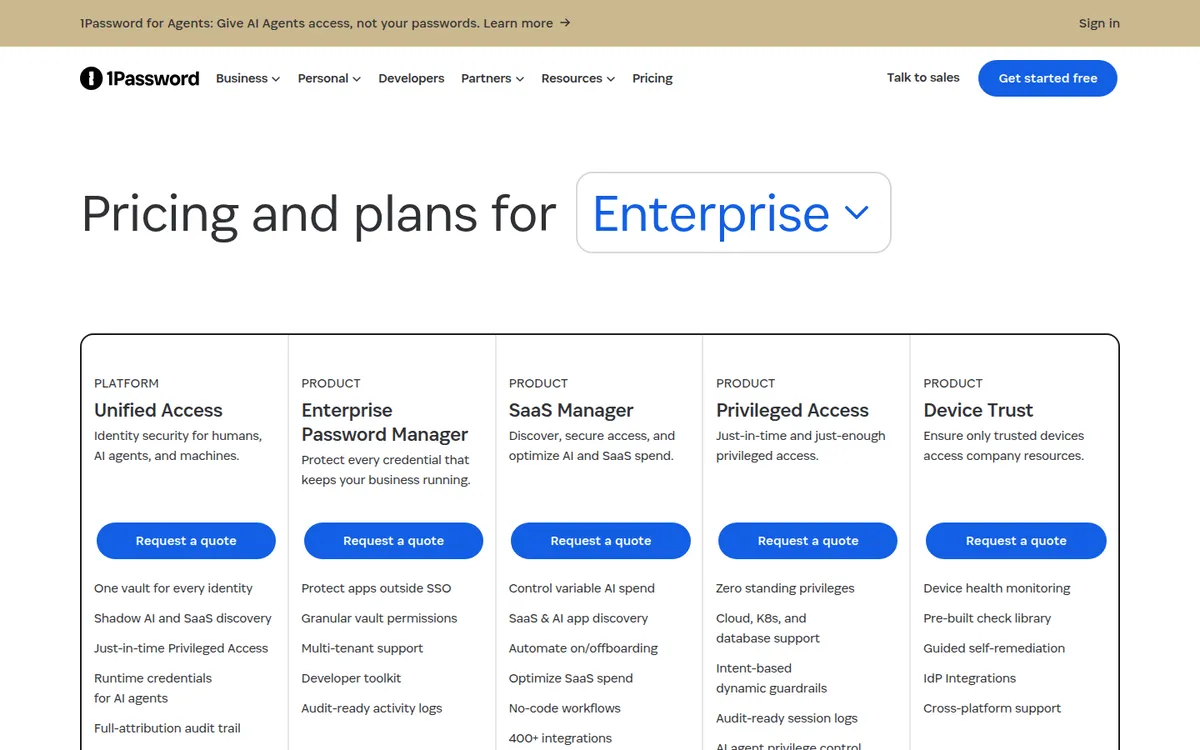
1Password has no free plan. Every plan starts with a 14-day trial, and its business pricing page says no credit card is needed. These are the U.S. prices on November 13, 2026, billed yearly:
| Plan | Price | People | What it adds |
|---|---|---|---|
| Individual | $3.99/month ($2.99 the first year for new customers) | 1 | Unlimited passwords, passkeys and devices |
| Families | $5.99/month ($4.49 the first year) | 5 | Shared family vaults |
| Teams Starter Pack | $24.95/month flat ($299.40 a year) | Up to 10, then $4.99 per extra seat up to 20 | Shared vaults, role-based permissions, security alerts, admin account recovery |
| Business | $8.99 per user/month ($107.88 a year) | No minimum | Okta, Entra ID, OneLogin and Duo integrations, Watchtower alerts, a free Families account for each employee |
| Enterprise | Quote | Large teams | Volume pricing and extra products |
The first-year discount is a promotion for new customers on yearly billing, and the page says it isn't available through the App Store or Google Play. Renewal is at the regular price. 1Password also raised its personal prices at renewals from March 27, 2026, according to TidBITS. That was the first increase in about a decade, and some readers said it pushed them toward Bitwarden.
What Bitwarden costs in 2026
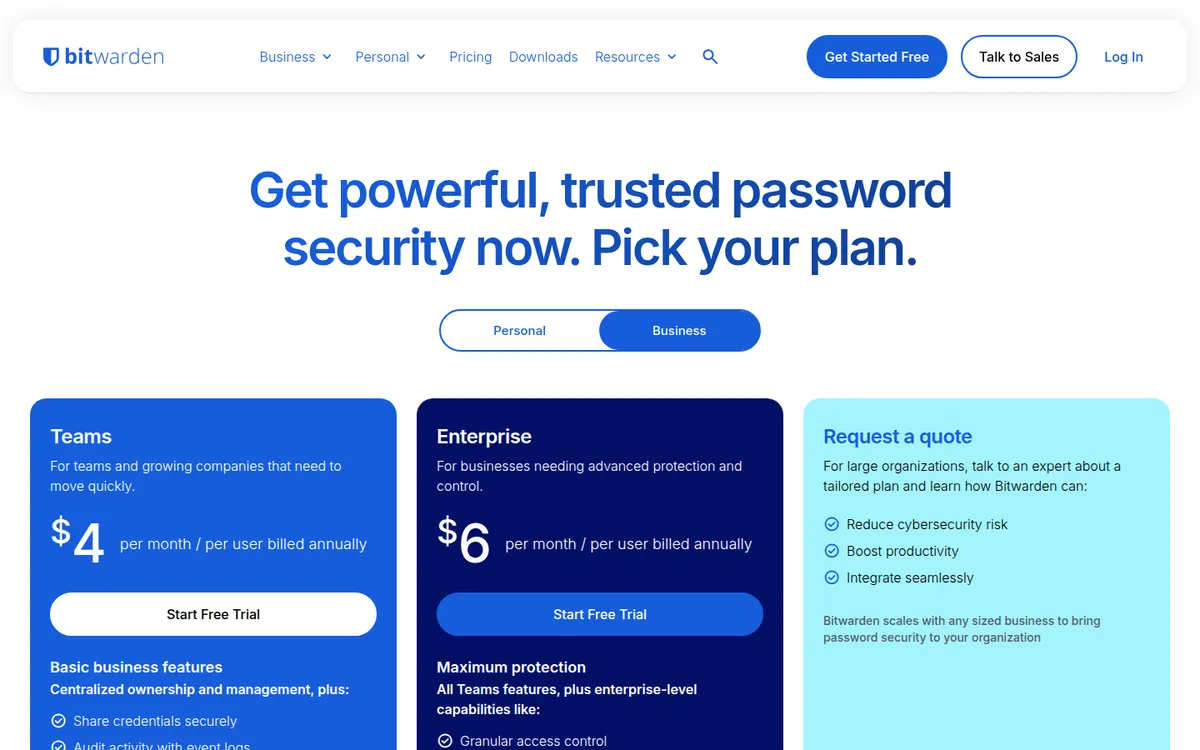
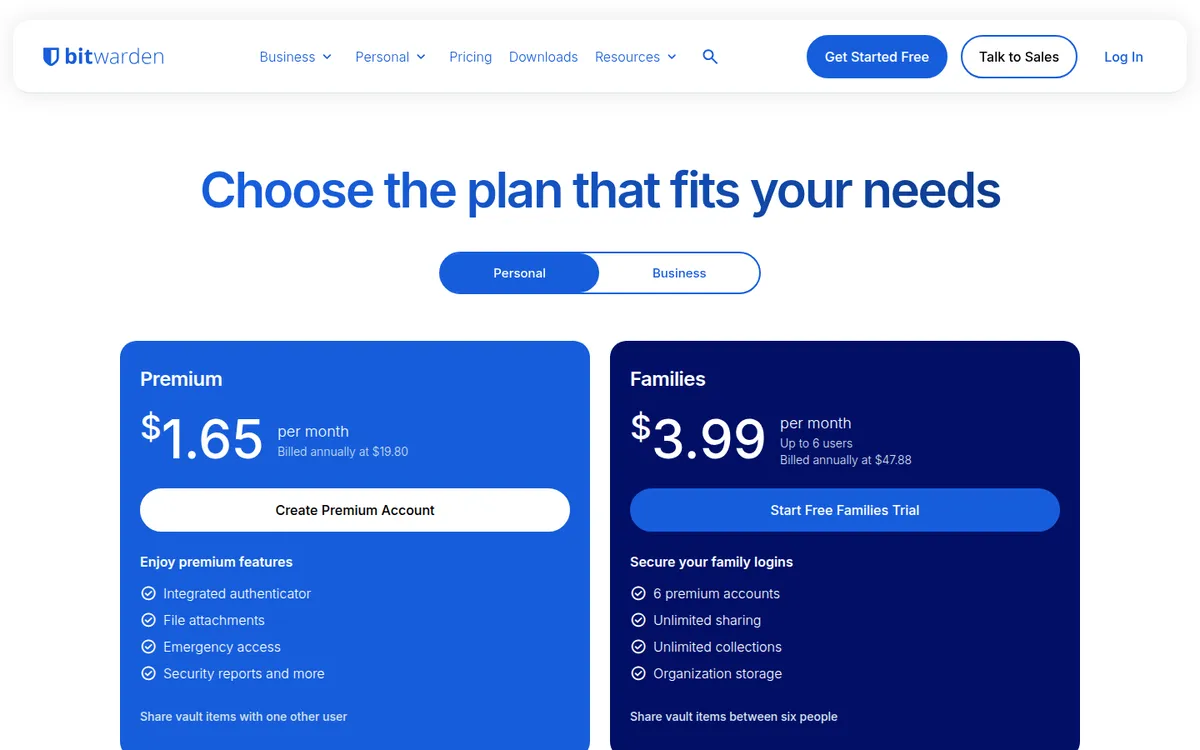
Bitwarden's prices are lower at every personal tier, and it's the only one of the two with a plan that stays free:
| Plan | Price | People | What it adds |
|---|---|---|---|
| Free | $0 | 1 (share items with 1 other person) | Unlimited passwords and devices, passkeys, password generator, Send |
| Premium | $19.80 a year ($1.65/month) | 1 | Built-in authenticator codes, 5 GB of file attachments, emergency access, vault health reports |
| Families | $47.88 a year ($3.99/month) | 6 | Premium for everyone, unlimited sharing and collections |
| Teams | $4 per user/month | Unlimited | Shared collections, event logs, user groups, directory sync, SCIM, API access |
| Enterprise | $6 per user/month | Unlimited | SSO, enterprise policies, admin account recovery, self-hosting, custom roles, free Families plan for every user |
There's one more add-on to know about. Bitwarden's Secrets Manager, for developers who store API keys and server credentials, costs $6 per user a month on Teams and $12 on Enterprise. Most small businesses won't need it.
What a team of 3, 10 or 25 pays on each
Here's where the pricing models matter. 1Password charges a flat price for the first 10 people. Bitwarden charges for each person from the first one. Yearly cost at list price (our own math from the pricing pages above):
| Team size | 1Password | Bitwarden Teams ($4) | Bitwarden Enterprise ($6) |
|---|---|---|---|
| 3 people | $299.40 (Starter Pack) | $144 | $216 |
| 5 people | $299.40 | $240 | $360 |
| 7 people | $299.40 | $336 | $504 |
| 10 people | $299.40 | $480 | $720 |
| 15 people | $598.80 (10 + 5 seats at $4.99) | $720 | $1,080 |
| 20 people | $898.20 (10 + 10 seats) | $960 | $1,440 |
| 25 people | $2,697 (Business, $8.99 each) | $1,200 | $1,800 |
Three things stand out:
- Up to 6 people, Bitwarden Teams is cheaper. At 7 people the 1Password Starter Pack wins, and it stays cheaper all the way to 20.
- Compare like with like. If you want an admin to be able to recover a locked-out account, Bitwarden's matching plan is Enterprise at $6. At that level, 1Password is cheaper from 5 people to 20.
- The 21st person is expensive on 1Password. The Starter Pack stops at 20, and Business costs $8.99 for everyone. A 25-person team pays about $2,700 a year on 1Password Business versus $1,200 on Bitwarden Teams or $1,800 on Enterprise.
The feature that decides it for many small teams: account recovery
Someone on your team will forget their master password. With a password manager built so the company can't read your data, that's a real problem: neither vendor can reset it for you.
1Password lets team administrators and owners recover a member's account, according to its support docs. The person gets a new Secret Key and account password, keeps all their vaults and items, and signs in again on their devices. This works on the $24.95 Starter Pack.
Bitwarden has the same idea, called account recovery, but its help center says it is "available for Enterprise organizations." Members also have to be enrolled in it ahead of time. On Teams or the free plan, a person who loses their master password and has no other way in can lose access to their own vault. Shared company items survive in the organization, but anything in their personal vault doesn't.
If your staff includes people who will forget a password, price Bitwarden at $6 per user, not $4.
Where 1Password is better
- Cheaper for 7 to 20 people. The flat Starter Pack beats Bitwarden Teams in that range and beats Bitwarden Enterprise from 5 people up.
- Recovery and permissions on the cheap plan. Admin account recovery and role-based permissions come with the Starter Pack.
- The Secret Key. 1Password combines your account password with a 128-bit Secret Key created on your device and never stored by 1Password. Its support page says that means a stolen copy of its servers' data isn't enough to start guessing your password.
- Travel Mode. You can remove chosen vaults from your devices before a trip and bring them back later.
- Polish and support reputation. Reviewers on G2 and elsewhere often call 1Password's apps more polished. On Trustpilot it scores 4.1 from more than 12,500 reviews, and reviewers often praise its support staff, though slow replies are also the top complaint.
Where Bitwarden is better
- A real free plan. Unlimited passwords and devices for one person, with sharing to one other person. For a solo owner, that may be all you need.
- Lower prices almost everywhere else. Premium is $19.80 a year, Families is $47.88 for 6 people, and Teams is $4 per user with no cap.
- Open source and audited. Bitwarden's code is on GitHub. Its help center lists yearly third-party audits from 2018 to 2025, SOC 2 Type 2 and ISO 27001 certification. That's why the answer to "is Bitwarden safe" from security reviewers is usually yes.
- Self-hosting. Enterprise customers can run Bitwarden on their own server. The install guide lists a minimum of 2 GB of RAM and 12 GB of storage, with Docker.
- Easy to switch to. Bitwarden has a direct importer for 1Password accounts and accepts 1Password's export files. Its help docs warn that some item types and file attachments don't come across and must be added by hand.
What users complain about
1Password. On Trustpilot (4.1 from 12,533 reviews, 85% five stars, 6% one star), the most common complaint is slow replies from support, especially for people locked out of their accounts. Other reviewers mention sync problems, repeat sign-in prompts and autofill that misses on some browsers and on Android. Price is a recurring theme since the 2026 increase.
Bitwarden. Trustpilot is much rougher: 2.9 from 367 reviews, with 72% five stars and 18% one star. Trustpilot notes Bitwarden hasn't invited reviews recently and doesn't reply to negative ones, so the sample is small and self-selected. Recent complaints describe autofill that doesn't fill or loops, desktop apps that show a blank window after updates, slow support, and an interface some find dated. On G2 (4.7) and Capterra (4.7 from 213 reviews), where reviewers are verified, the picture is far more positive, and autofill is still the most common gripe.
The pattern: both do the core job well. 1Password gets more praise for the experience; Bitwarden gets more praise for the price.
Is 1Password or Bitwarden better for small business?
Choose Bitwarden if:
- You're a solo owner. The free plan or $19.80 Premium covers you.
- You're 2 to 6 people and comfortable with tech. Teams at $4 per user is the cheapest real business plan.
- You're past 20 people. Bitwarden Enterprise at $6 still costs less than 1Password Business at $8.99, and you get SSO and recovery.
- You want open-source code or need to keep the vault on your own server.
Choose 1Password if:
- You're 7 to 20 people. The Starter Pack is the cheaper plan in that range, by about $37 to $181 a year at list price.
- Your staff isn't technical, and you'd rather pay a bit more for apps they'll actually use.
- You want an admin to rescue locked-out employees without buying an enterprise plan.
- You travel with company data and want Travel Mode.
1Password alternatives and Bitwarden alternatives
If neither fits, other options come up often in reviews and on Reddit: Proton Pass (from the Proton Mail company, with a free plan), Apple Passwords (free, built into Apple devices, but weak for mixed Windows and Android teams), NordPass and Keeper. We haven't compared their prices in depth here, so check each vendor's pricing page before you decide.
FAQ
Is Bitwarden as good as 1Password?
For the core job of storing, filling and sharing passwords, reviewers rate them about the same: 4.7 for Bitwarden and 4.6 for 1Password on G2. 1Password is usually called more polished. Bitwarden is cheaper, open source and can be self-hosted.
Is Bitwarden safe?
Its security record is strong. Bitwarden publishes yearly third-party audits, holds SOC 2 Type 2 and ISO 27001 certification, and its code is public on GitHub. Your vault is encrypted on your device before it's synced.
Is Bitwarden really free?
Yes. The free plan has no time limit and includes unlimited passwords and devices for one person, with sharing to one other person. Paid features like authenticator codes and file attachments need Premium at $19.80 a year.
Why do people switch from 1Password to Bitwarden?
Usually price. 1Password has no free plan and raised its personal prices in March 2026. Some users also prefer open-source software. Bitwarden's direct importer makes the move easier, though attachments must be moved by hand.
Which is cheaper for a business, 1Password or Bitwarden?
It depends on headcount. Up to 6 users, Bitwarden Teams is cheaper. From 7 to 20, 1Password's $24.95 Starter Pack (plus $4.99 per seat past 10) costs less. Past 20, Bitwarden is cheaper by a wide margin.
The bottom line
Bitwarden is the better deal for solo owners, tiny teams and anyone past 20 people. It's also the pick if open source or self-hosting matters to you. 1Password is the better buy for a team of 7 to 20 with non-technical staff: its flat Starter Pack costs less there and includes admin account recovery, which Bitwarden saves for Enterprise. Before you pick, count your people, then decide whether you need someone to be able to unlock a forgotten vault.
Disclosure: if you buy through our links we may earn a commission. It never changes our verdict. Details.
Sources
- 1Password: Business pricing (Teams Starter Pack, Business, extra seats, trial, FAQ)
- 1Password: Personal pricing (Individual, Families, first-year promotion)
- 1Password: Pricing overview (Enterprise products by quote)
- 1Password Support: Recover accounts for family or team members
- 1Password Support: About your Secret Key
- 1Password Support: Travel Mode
- TidBITS: 1Password raises prices (February 25, 2026)
- Bitwarden: Personal pricing (Free, Premium, Families)
- Bitwarden: Business pricing (Teams, Enterprise, Secrets Manager)
- Bitwarden Help: Account recovery (Enterprise organizations)
- Bitwarden Help: Is Bitwarden audited? (audits, SOC 2, ISO 27001, open source)
- Bitwarden Help: Install and deploy on Linux (self-hosting requirements)
- Bitwarden Help: Import data from 1Password
- G2: 1Password vs Bitwarden comparison
- 1Password reviews on Trustpilot
- Bitwarden reviews on Trustpilot
- Bitwarden reviews on Capterra
Prices and features checked on November 13, 2026. Vendors change plans often, so confirm on the official site before buying.