Our verdict
Free, and the only place Google tells you directly which of your pages it has indexed and which searches show them. Every small site should set it up on day one. Just expect slow indexing on a new site, sampled-looking data, and a 16-month memory unless you export.
- Best for
- Small business and content sites that want to know whether Google can find their pages and which searches bring visitors, at no cost
- Skip if
- Anyone who needs competitor data, keyword volumes, or a button that forces Google to index a page; those need other tools (or patience)
- Price
- Free (no paid plan)
What works
- Free, with no paid tier or usage limits that matter to a small site
- Shows which pages Google has indexed and, in most cases, why the rest aren't
- Search queries, clicks, impressions and positions straight from Google, not estimates
- Since August 2026, a separate report counts impressions in AI Overviews and AI Mode
What doesn't
- Indexing on a new site is slow, and "Request indexing" can't speed it up much
- The interface shows and exports only 1,000 rows, and rare queries are hidden for privacy
- Performance data is kept for about 16 months, then it's gone unless you exported it
- Only covers Google; Bing and other engines need their own tools
If you want to know how to use Google Search Console on a small site, the short version is: verify your domain, submit one sitemap, then look at two reports once a week and ignore most of the rest. We use Search Console for this site, realtoolstack.com, which published its first review on October 24, 2026. That makes us a good example of the situation most small sites are in: new, a few dozen pages, and impatient for Google to notice.
This is what we set up, what the reports mean, and which warnings a small site can safely ignore. We're not sharing our traffic numbers. Two weeks in, they wouldn't tell you anything useful.
What Search Console is (and is Google Search Console free?)
Search Console is Google's free dashboard for site owners. It answers two questions nothing else answers with Google's own data:
- Has Google indexed my pages? If not, which ones, and why?
- Which searches show my site, and how often do people click?
Yes, it's free. There's no paid plan, no trial, and no credit card. You need a Google account and proof that you control the site.
What it doesn't do: it won't show competitors' data, keyword search volumes, or backlink quality scores. For keyword volumes we use a separate paid tool. Search Console only tells you about searches where your site already appeared.
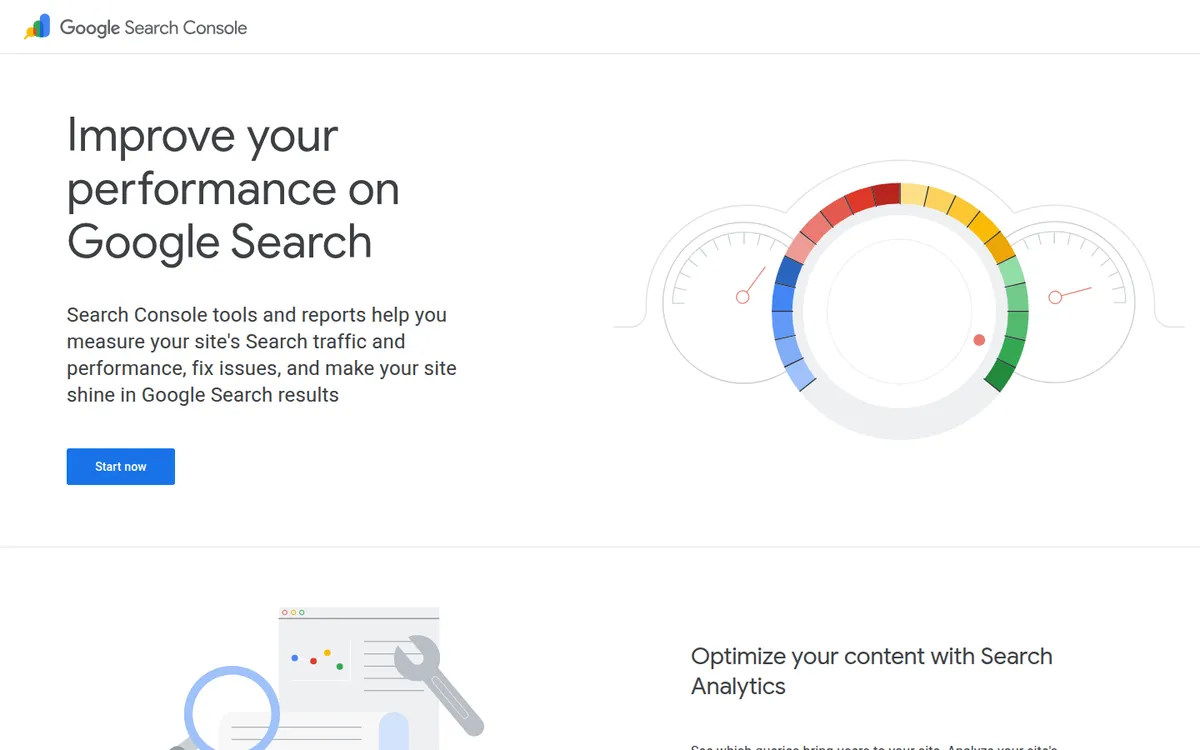
Setup: Google Search Console verification in 10 minutes
Google offers two kinds of "property," according to its help center:
| Domain property | URL-prefix property | |
|---|---|---|
| Example | example.com |
https://example.com/ |
| Covers | All subdomains, http and https, all paths | Only URLs starting with that exact prefix |
| Verification | DNS record only | Several methods (HTML file, meta tag, Analytics, and others) |
| Best for | Most small sites | Sites where you can't edit DNS |
Pick the Domain property if you can. It catches www and non-www, http and https, in one place, so you don't miss data because of a redirect you forgot about.
Verification means adding one TXT record to your DNS. If your DNS is at your registrar, as ours is at Namecheap, that's where the record goes. DNS changes can take a while to spread, so if verification fails right away, wait and click Verify again.
Google Search Console sitemap: submit it once, then leave it
A sitemap is a file listing the pages you want Google to know about. Most site builders and WordPress SEO plugins create one for you. Our site is static, so our build script writes sitemap.xml every time we publish, and our robots.txt points to it.
In Search Console, open Sitemaps, paste the sitemap URL, and click Submit. You do this once. Google re-reads it on its own schedule.
Three things worth knowing, from Google's help pages and blog:
- A sitemap doesn't guarantee indexing. Google says there is "no guarantee that a page URL discovered in a sitemap has been or will be crawled or indexed."
- Size limits: 50,000 URLs or 50 MB uncompressed per file. A small business site will never get close.
- The old "ping" trick is dead. Google shut down its sitemap ping endpoint at the end of 2023. Plugins that still ping it don't hurt anything, they just don't do anything. Submitting in Search Console and listing the sitemap in
robots.txtis what Google recommends.
One thing that's easy to miss: IndexNow doesn't reach Google. Our build sends new URLs to IndexNow after every publish. The IndexNow FAQ lists Bing, Yandex, Naver, Seznam, Yep and Amazon as participants. Google isn't on the list. For Google, the sitemap and Search Console are still the channel.
The page indexing report: "Discovered" and "Crawled – currently not indexed"
Open Indexing → Pages. You'll see a count of indexed pages and a list of reasons the others aren't indexed. On a new site, the "not indexed" list will look alarming. Most of it is normal.
| Status | What Google says it means | What to do on a small site |
|---|---|---|
| Discovered – currently not indexed | Google found the URL but hasn't crawled it yet | Usually wait. Make sure the page is linked from other pages on your site |
| Crawled – currently not indexed | Google crawled the page and chose not to index it (for now) | Check the page is useful and not a near-duplicate. If it's an important page, inspect it |
| Excluded by "noindex" tag | You told Google not to index it | Fine, if you meant to |
| Alternate page with proper canonical tag | A duplicate pointing to the main version | Fine. That's canonicals working |
| Page with redirect | The URL redirects elsewhere | Fine |
Google is blunt about the second status: "Google doesn't index all pages across the web," and it says not to expect every URL on your site to be indexed. It asks you to focus on your key pages.
Discovered – currently not indexed on a new site usually means Google hasn't spent crawl time on you yet. Google's help page says it often reschedules the crawl because it expects crawling to overload the site. Forum threads from new-site owners describe pages sitting in this status for weeks. Treat those timelines as anecdotes, not rules.
Crawled – currently not indexed deserves a closer look if it hits a page that matters, like your main service page. Thin pages, near-copies of other pages, and pages nothing links to are the usual suspects that people report.
Some of the excluded pages on our site are excluded on purpose. Our outbound /go/ redirect links carry noindex and are blocked in robots.txt, and category pages with no reviews yet get noindex too. If you see your own deliberate choices in this report, that's the report working.
Request indexing: what it can and can't do
The URL Inspection tool (the search bar at the top) shows whether one specific URL is indexed, when Google last crawled it, and which canonical it picked. There's a Request indexing button.
According to Google:
- There's a quota on individual requests (Google doesn't publish the number).
- Crawling "can take anywhere from a few days to a few weeks."
- "Requesting a recrawl multiple times for the same URL won't get it crawled any faster."
So use it once for a page that matters: a new service page, or a page you just fixed. Don't click it daily for every blog post.
You'll also see advice online to use Google's Indexing API for faster indexing. Google's own docs say that API is only for pages with job postings or livestream video events. It isn't meant for a normal business page.
The Google Search Console performance report: four numbers
Open Performance → Search results. Google defines the four metrics like this:
- Clicks: times someone clicked your site from Google Search.
- Impressions: times your site appeared in results.
- CTR: clicks divided by impressions.
- Average position: the average position of your topmost result.
The default view is the last three months. Data for the latest day or so is preliminary and shows as a dotted line.
For a small business, the useful weekly habit is short:
- Click Queries and sort by impressions. These are the searches Google already thinks you're relevant for.
- Look for queries with many impressions but a low CTR. A clearer page title or description can often help there.
- Click Pages to see which pages earn the impressions. If it's not the page you'd expect, that page may need work, or the right page may need more internal links.
The data limits nobody mentions upfront
- 1,000 rows. The interface and its exports top out at 1,000 rows, per Google's 2022 deep-dive. The API goes much further (up to 50,000 rows per day per site per search type), but most small sites never need it.
- Hidden rare queries. Queries that aren't searched by "more than a few dozen users over a two-to-three month period" are anonymized. They count in the totals but don't appear as rows. That's why your query list rarely adds up to the total clicks.
- 16 months. Search Console keeps about 16 months of performance data. If you want year-over-year history beyond that, export it or connect Search Console to Google Analytics before it rolls off.
G2 reviewers rate Search Console highly overall (about 4.7 out of 5 across roughly 500 reviews), and those data limits, plus delays and confusing terms, are the recurring complaints there.
New in 2026: AI Overviews and AI Mode data
Two changes this year matter even to small sites:
- Generative AI performance report. Google introduced it in June 2026 and says it rolled out to all sites worldwide on August 31, 2026. It counts impressions of your links in AI Overviews and AI Mode, by page, country, device and date. Google's help page doesn't list clicks or queries for this report, so you can see that you appear, not what people asked. If you don't see the report, Google says your site may not have enough AI impressions yet.
- Search generative AI control. Under Settings → Search generative AI, owners can exclude a site from AI Overviews, AI Mode and AI features in Discover. Google says this "isn't used as a ranking or inclusion signal" for the rest of Search, and changes usually apply within a few days. Most small businesses should leave it on and watch the report first.
Also worth knowing: a branded vs. non-branded queries filter reached all eligible sites in March 2026, per Search Engine Land. Small sites with low volume may not qualify for it.
Google Search Console vs Google Analytics
We run both. They answer different questions, and their numbers will never match exactly.
| Search Console | Google Analytics 4 | |
|---|---|---|
| Measures | What happens on Google before the click | What visitors do on your site after the click |
| Main metric | Clicks, impressions, position | Sessions, users, events, conversions |
| Search queries | Yes | Only if you link Search Console |
| Time zone | Pacific Time, can't be changed | Your choice |
| History | About 16 months | Depends on your settings and when you installed it |
| Cost | Free | Free |
Google's own guide lists why counts differ: time zones, Search Console counting only the canonical URL, bot filtering, and visitors who block tracking. Its advice is to compare trends, not totals. You can link the two (Analytics → Admin → Search Console links) to see query data inside GA4.
What we'd tell a small business owner
- Do on day one: verify a Domain property, submit your sitemap, add a second owner (your web person, or you if they set it up).
- Do weekly: five minutes in Performance, sorted by impressions.
- Do when something changes: inspect a URL after you fix or launch an important page.
- Ignore: most "not indexed" counts on a new site, and daily swings in average position.
Who it's for, and who should skip it
Every site that wants Google traffic should have it set up. It's free and it's Google's own data.
It's the wrong tool if you need keyword ideas with search volumes, competitor rankings, or backlink research. Those need paid SEO tools. It's also Google-only: Bing has its own Bing Webmaster Tools, where we verified this site too.
And if your business doesn't depend on Google search at all, say a shop that lives on walk-ins and Instagram, you can set it up and check it once a month.
Our verdict
We're keeping it, and we'd set it up again on day one. It won't make Google index a new site faster, and its data is capped and partly hidden. But it's the only place Google tells you, in its own words, what it sees on your site.
FAQ
Is Google Search Console free? Yes. There is no paid version. You only need a Google account and to verify the site.
How long does it take Google to index a new site? Google says crawling can take from a few days to a few weeks after a request. New sites often see pages in "Discovered – currently not indexed" for a while.
What does "Discovered – currently not indexed" mean? Google found the URL but hasn't crawled it yet. On a new or small site this is common; make sure the page is linked from your other pages and give it time.
Does submitting a sitemap get my pages indexed? No. A sitemap helps Google find your pages, but Google says it doesn't guarantee they'll be crawled or indexed.
What's the difference between Google Search Console and Google Analytics? Search Console shows how your site appears in Google Search (impressions, clicks, queries). Analytics shows what people do once they're on your site. Use both.
Disclosure: if you buy through our links we may earn a commission. It never changes our verdict. Details.
Sources
- Search Console Help: Add a website property
- Search Console Help: Page indexing report
- Search Console Help: Sitemaps report
- Search Console Help: Performance report (Search results)
- Search Console Help: Performance report, about the data
- Search Console Help: Generative AI performance report (Search)
- Search Console Help: Search generative AI control
- Google Search Central Blog: Generative AI performance reports (June 2026)
- Google Search Central Blog: Performance data filtering and limits (2022)
- Google Search Central Blog: Sitemaps ping endpoint is going away (2023)
- Google Search Central: Ask Google to recrawl your URLs
- Google Search Central: Debug Google Search traffic drops
- Google Search Central: Using Search Console and Google Analytics data for SEO
- Google Search Central: Indexing API quickstart
- Analytics Help: Connect Search Console to Google Analytics
- IndexNow FAQ (participating search engines)
- Search Engine Land: Branded queries filter expands to all eligible sites (March 2026)
- G2: Google Search Console reviews
Vendors change plans often, so confirm on the official site before buying.